AVG Antivirus Free review and testing (April 2019)
AVG AntiVirus FREE is a popular antivirus software getting better with every update. As of April 2019, it detects both malware and productivity issues, intercepts threats before they reach a PC. It has fresher design and the app does not slow down a computer. A powerful antivirus scanner blocks and deletes viruses, thus protecting from newest threats with “Virus Stalker” engine, certified by independent test laboratories. Developed by AVG Technologies, that is now a subsidiary of Avast Software.
| Vendor | Avast Software s.r.o. (website) |
| Newest version (for Windows) | v.19.3.4241.0 out September 2019 |
| Operating systems | Windows, MacOS, Android |
| Installer file size | 346 MB |
| Menu languages | 26 |
| Key modules | Antivirus, Anti-phishing, Behavior Shield |
| Extra features | Driver Updater, Emails protection, SafePrice |
| License | Free |
Antivirus is available for Microsoft Windows, Mac OS and Android. Many people are curious whether AVG antivirus is really free… well, it offers two plans. AVG Antivirus Free, which is really free, yes; and AVG Antivirus Internet Security - with $80 annual subscription. 26 interface languages to choose from.
System requirements (recommended for optimal work): Intel Pentium 4 / AMD Athlon 64 processor or above (must support SSE2 instructions), 1GB RAM, 2GB free disk space, Windows 7/8/10, 1024x768 pixels or above screen resolution, Internet connection. For Mac computers - at least OS X 10.10 (Yosemite) version, 2GB RAM and 2GB of HD space. For Android devices - 2.2 OS version or higher.
| Features | AVG AntiVirus FREE | AVG Internet Security |
| Free protection | + | - |
| Stop viruses, ransomware, malware | + | + |
| Block unsafe links, downloads | + | + |
| Protection for multiple devices | - | + |
| Scan for PC performance problems | + | + |
| Fixing of performance problems | - | + |
| Real time-security updates | + | + |
| Secure folders (anti-ransomware) | - | + |
| Webcam protection | - | + |
| Enhanced firewall | - | + |
| Free | $79.99 / year |
For online and overall protection, the program offers features like antivirus (against viruses, spyware, ransomware, malware), web and email protection, PC performance scanner (detects junk files, registry issues, etc.), file shredder, do-not-disturb mode, browser extension for payments.
How to install AVG antivirus
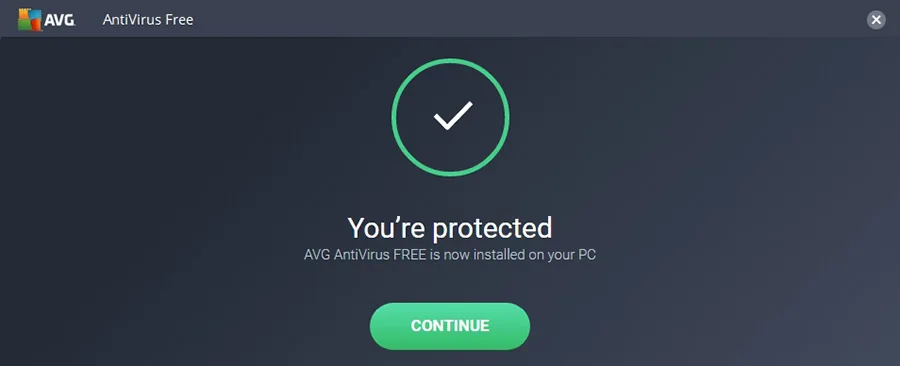
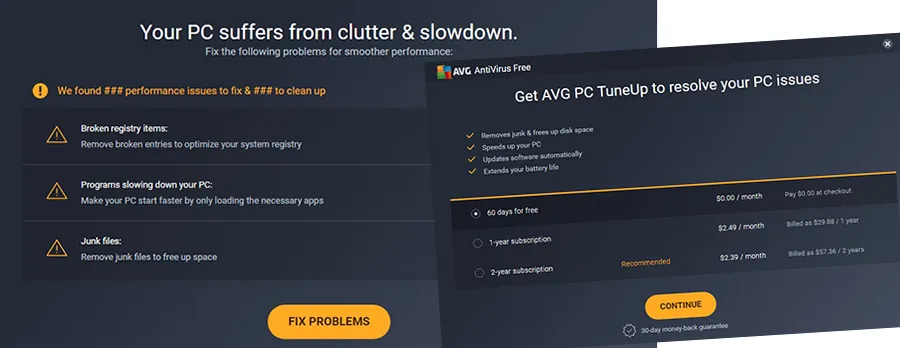
To download AVG antivirus, visit the official website, and click “FREE Download” to begin. After the file called “avg_antivirus_free_setup.exe” is downloaded, run it, wait for the program’s full launch, choose the interface language and click “Install”. Use advanced install settings by pressing “Customize” - to specify elements to install manually, e.g. AVG Secure Browser or AVG SafePrice. Everything quite typical. Next, you’ll receive a message about PC issues, which is actually AVG prompting to acquire PC TuneUp tool as 1 or 2 year subscription, or try it for 60 days free. If you want it, enter personal data and payment method, if not - skip it.
Interface
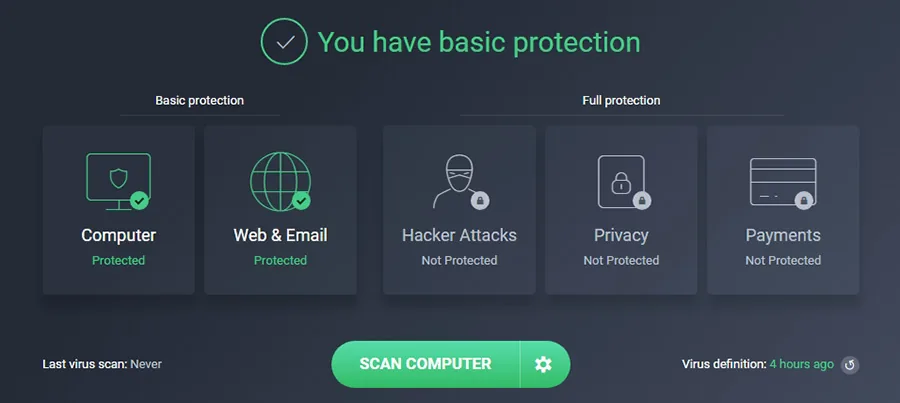
The interface, in general, is quite pleasant, yet it can be both easy and hard to comprehend, as it all just works, but there are lots of functions and settings crammed in. For example, Secure VPN with 60-days trial but you have to input credit card or PayPal number first anyway. Similarly, the Password Protection, if you choose to perform a scan, to fix issues afterwards, you have to pay. There’s also Driver Updater tool (that can also be installed separately) and it is free.
Settings
Let’s take a look at settings in AVG Antivirus Free menu. General section includes:
- Enable reputation services (compares threats to samples in the database)
- Enable CyberCapture (analyses unrecognized files with 2 options - block/allow)
- Scan for PUP (potentially unwanted programs)
- Do not show notifications
- Enable email protection
- Set up pop up window
- Protect antivirus settings by a password
- Maintenance (delete old scan logs, clear history, maximum quarantine size, etc.)
- Exceptions (indicate file path or URL)
- Special scans
- Privacy settings
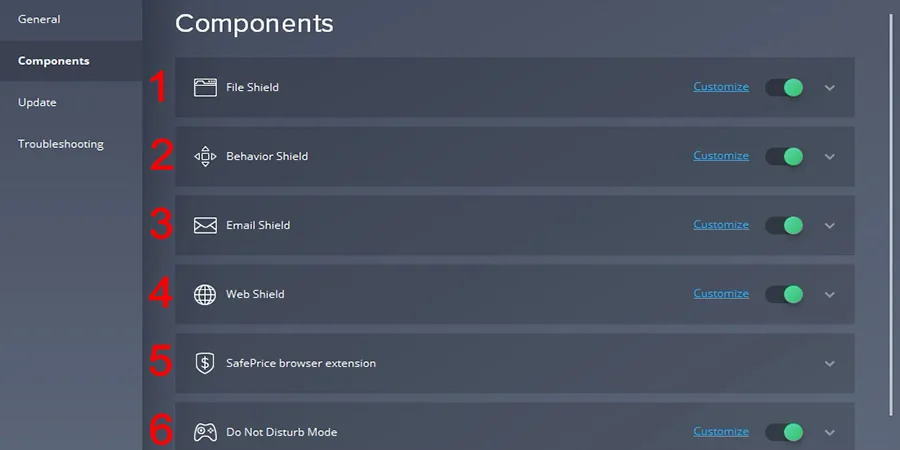
- File Shield - checks all files on PC, blocks suspicious ones.
- Behaviour Shield - identifies apps/programs/processes with suspicious activity.
- Email Shield - protects email from receiving dangerous files, and also prevents sending out such files.
- Web Shield - protects a PC during online browsing, blocks unreliable websites and pop-ups, prevents downloading ransomware.
- SafePrice browser extension - finds best prices on trusted online web stores.
- Do Not Disturb mode - turns off 3rd-party notifications, pauses Windows updates.
Troubleshooting section offers tools such as rootkit scan at startup, anti-rootkit monitoring, anti-exploit-module, AVG self protection module, limit guest account access, passive mode, restore default settings. In the Quarantine section, where all the infected files after scanning are stored temporarily. To delete files completely, without ability to restore, use File Shredder.
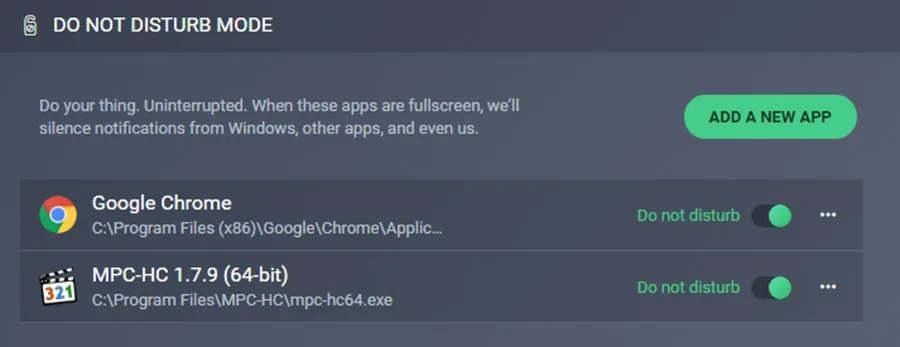
Let’s check the Do not disturb mode. As we see, there are 2 programs automatically added - Chrome and MPC player - it means when any of them is running, no other notifications will be displayed. We can turn this mode off, surely, as well as add more programs.
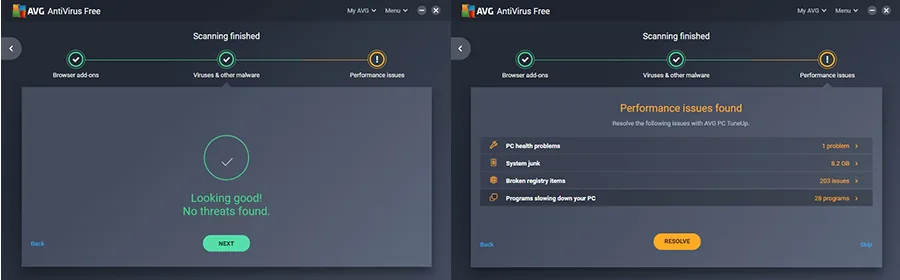
Now, the main functionality of AVG or any other antivirus out there: scanning. In Computer tab we press Scan Computer button, wait and check the scan results. This process will rummage through user’s PC to find potential viruses and threats, but also will check for performance and online privacy issues.
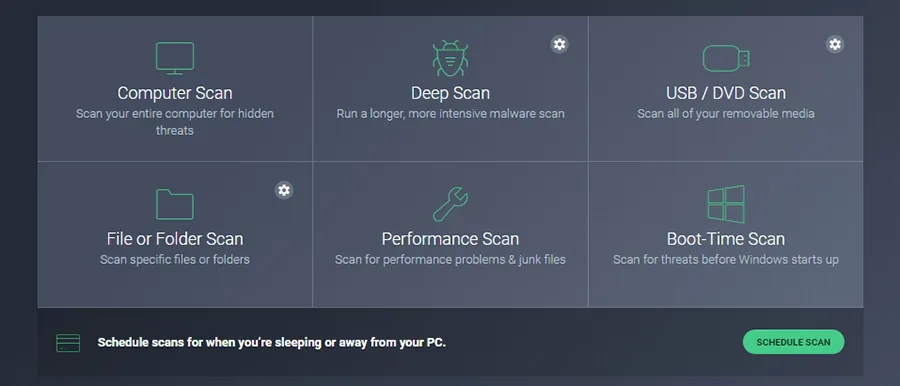
If you press a gear sign next to Scan Computer button, you have a selection of different scan types: full scan, deep scan (intensive searche for malware), USB/DVD scan, file/folder scan, performance scan (PC TuneUp), boot-time scan, and there’s also a scheduler. To run a boot-time scan you have to restart a PC.
EICAR & AMTSO testing
For testing, first we visit eicar.org and download the following test files:
| eicar.com | eicar.com.txt | eicar_com.zip | eicarcom2.zip |
| 68 Bytes | 68 Bytes | 184 Bytes | 308 Bytes |
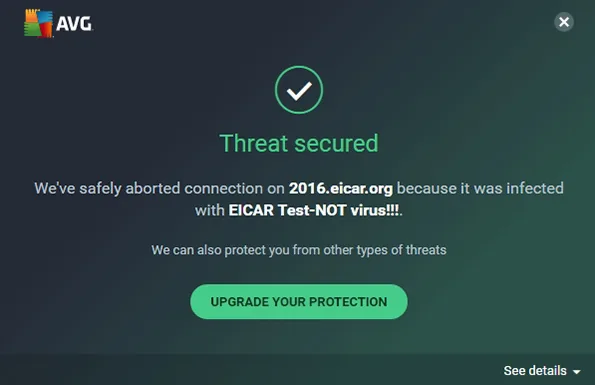
Then we’ve tried to do the same via AVG Secure Browser: we were able to visit the link but couldn’t load a file, immediately receiving a warning notification. In result, all 4 out of 4 threats were successfully detected and blocked by AVG Antivirus Free.
Then, we visited amtso.org and conducted testing for desktop solutions in few stages. First, to test protection against manual download of malware is enabled. Result - it is, access blocked. Second, protection against a drive-by download - successful too. Third, protection against download of compressed malware - works, we were not able to load a ZIP file with malware. Similarly, AVG stopped the download of infected ZIPX, 7-ZIP, WinRAR, TARGZ, ACE, CAB, JAR, LZH, RAR-SFX, ZIP-SFX files. All in all, out of 16 loaded files 15 were identified and blocked by AVG antivirus active mode, and 1 was stopped in passive mode.
Antivirus scanning test
Finally, we ran all 4 types of scan available in AVG antivirus. During the first one (full PC scan), AVG found several cryptocurrency miner files, that were loaded into our PC previous to the antivirus. Scanning times were, of course, different and pretty efficient overall:
- Full scan: 3 minutes
- Deep scan: 90 minutes
- Selective scan (local 200GB drive, 55GB free): 2 minutes
- Boot-time scan: 34 minutes
AVG antivirus Android mobile version
AVG AntiVirus Free 2019 for Android with antivirus/anti-malware, anti-theft, app lock, camera protection tools is quite popular among users - over 100,000 installs, according to Google Play. It works silently in the background, and has interesting mobile-tailored options. For example, in case a phone or tablet is lost or stolen, open Anti-Theft website via AVG user account and you’ll be able to locate a device on Google Maps. Then, you can remotely lock it and turn on alarm signal at full volume, and moreover, you can remotely delete all the data from your phone.
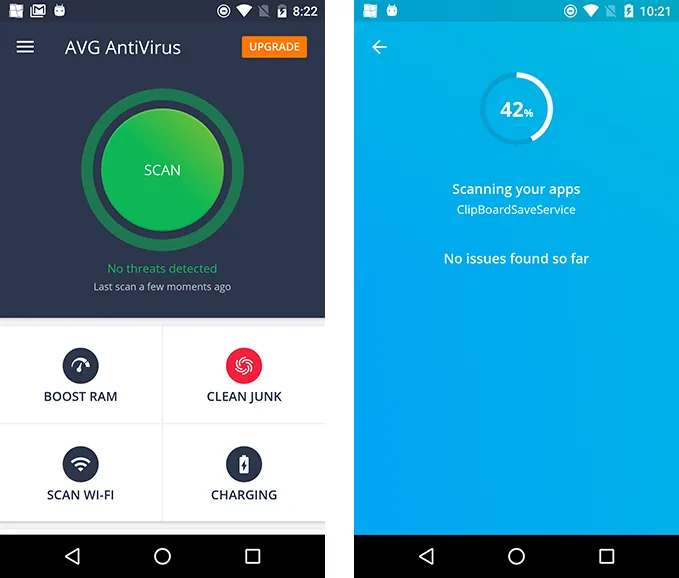
Other cool features are only available in paid Pro version of AVG mobile app. Like App Lock to block apps, gallery, messages on a phone by a PIN-code. Or Camera Trap alerting a phone owner about attempts to gain access to the device by taking a picture of the intruder and sending it in a message.
| Features | AVG Free for Android | AVG PRO for Android |
| Antivirus | + | + |
| Anti-theft | + | + |
| App lock | - | + |
| Camera trap | - | + |
| Device lock | - | + |
Verdict
AVG AntiVirus FREE worked well as an antivirus in our case, it intercepted threats and blocked the download of harmful files. It also offers plenty of additional tools and options, though all of them aren’t free. All in all, a fine decent product for those who look for a free antivirus today.
- easy-to-use and nice interface
- positive performance, real threat detection
- insignificant impact on PC resources
- 26 interface languages
- not completely free, as Pro version costs $80 annually
- no button for expanding the main window, only scroll
- longer startup time with antivirus running
- many additional tools ads and offers, e.g. driver updater
FAQ
Is AVG antivirus really free?
AVG antivirus is completely free. Yet some additional features are to be purchased.
Is AVG Antivirus Free safe?
For most part, yes, AVG antivirus is safe, although some software may react to ads inside AVG and indicate it as a threat.
How to download AVG Antivirus Free for Windows 7?
Go to the official website of AVG Antivirus Free and download it.
Is there AVG Antivirus Free Android app?
Yes, there is a mobile app called AVG Antivirus 2019 Free at Google Play.
Is there AVG Antivirus Free for iPad?
There is no AVG version for iPad. Actually, there is no antivirus software for such devices because they are designed to use programs by Apple only, or apps from the App store.
Is there AVG Antivirus Free for Mac?
Yes, there is a AVG antivirus for Mac version (OSX 10.8 Mountain Lion or above).
How to get AVG Antivirus Free offline installer?
Go to the official website and download a setup.exe file.
How to disable AVG Antivirus?
Open the drop-down menu in the main app, click ‘Advanced option’ and select ‘Temporarily Disable AVG protection’. Choose the time limit for disabling your protection, then click OK.
How to uninstall AVG Antivirus Free?
A common way is clicking Add/Remove program in Control Panel, and restarting the system afterwards.
How to add exceptions in AVG Antivirus Free?
Click Menu > Settings > General > expand Exceptions > click Browse > select a folder/a file to exclude from scanning. Click Add to save changes.
How to delete a virus with AVG Antivirus?
Run AVG scan. Detected viruses will be moved to the Quarantine section, there select files you want to remove and press “Delete”.
AVG Antivirus Free trial vs full version
You can use AVG Antivirus free not only without a time limitation, while AVG Antivirus Internet Security, which costs $79.99 has many additional features. Purchasing it will also help get rid of ads.
Avast free vs AVG free
Since Avast Software has bought out AVG Technologies, and technically owns both products, it might be confusing to see 2 separate products. Both use the same engine and technology, have many similar features and a gaming mode. In terms of differences, unlike AVG, Avast provides wi-fi inspection tool, unwanted browser plugins cleanup, and outdated software scanner. On the other hand, AVG offers antispyware protection, file shredder, and it is also free. With AVG, Windows boot time is a bit longer.