
iolo System Mechanic review
When it seems that your PC runs slowly or key/mouse response is delayed, it is often a software-related issue that can be easily solved. One way is to use Windows system maintenance tools if you have time and skills, the alternative is various optimization tools. Those do the job getting rid of obsolete apps, bad registry entries, system errors etc. System Mechanic is a set of PC system utilities, also known as PC optimization software, that helps manage and maintain devices in good shape.
| Vendor | iolo Technologies, LLC (visit website) |
| Newest version (for Windows) | Iolo System Mechanic Pro v.20.0.0.4 out February 2020 |
| Operating systems | Windows 7/8/8.1/10 |
| Installer file size | 30.49 MB |
| Menu languages | 10 |
| Optimization modes | 1-click, manual, scheduled |
| Extra features | Deep scan, Active Care, Programs Accelerator |
| License | Free / Pro / Home |
| Pricing | $33.97 Pro (1 Year, 1 PC) |
Both versions, free and Pro, are available in 10 languages (including French, Dutch, German) for Windows 7, Windows 8, Windows 8.1 and Windows 10. The suite was released by ioLo Technologies, a US-based company with 20 years market presence. There are three editions of System Mechanic:
- Whole Home License: for use on all home PCs, it costs $24.96 annually.
- System Mechanic Pro: the so called ultimate package for $34.97, as of February 2020.
- System Mechanic Business: it costs $47.40 annually and is optimized for small teams/networks.
You can try all three editions for free - full-functionality trial lasts 60 days for Pro and 30 days for Business. Despite some confusion about free trial for standard edition, you will find Pro trial in the Downloads section. So before we move on to review, a brief summary of what System Mechanic is about.
| Version | Platforms | Installer | Pricing | Scheduler | App tray | Monitor tools | Optimization tools | Boost tools | Recovery tools |
| Standard | Win 7, 8, 8.1, 10 | 30.5 Mb | $40/year | ✔️ | ✔️ | No | ✔️ | No | No |
| Pro | Win 7, 8, 8.1, 10 | 57 Mb | $56/year | ✔️ | ✔️ | ✔️ | ✔️ | ✔️ | ✔️ |
Installation & Interface
For review we took the Pro version, downloaded from the official website, so this could be perceived as iolo System Mechanic Pro review. This is the most complete and effective package. It repairs issues, boosts PC speed, as well as cleans, protects and secures to speak generally. Additionally, it blocks malware and bloatware, it could recover lost data.
We should mention right away that System Mechanic might not be good friends with antivirus or antimalware program. But this problem appears only if you use built-in antivirus and firewall. Then, the process is typical: enter email address and get an activation key... no additional software, no other difficulties.
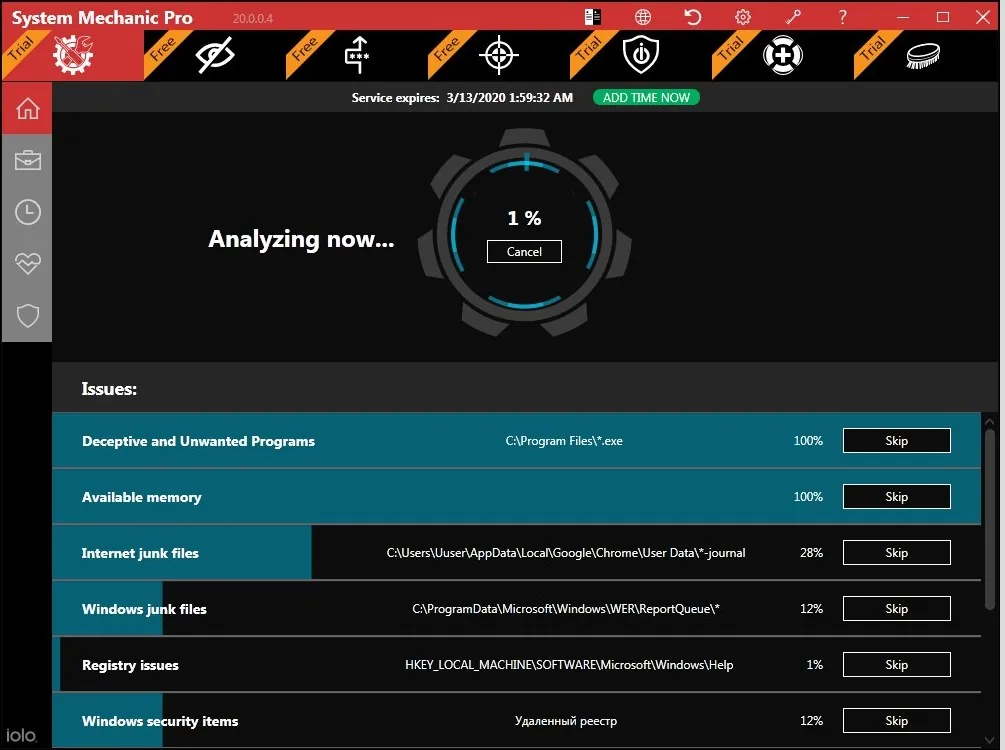
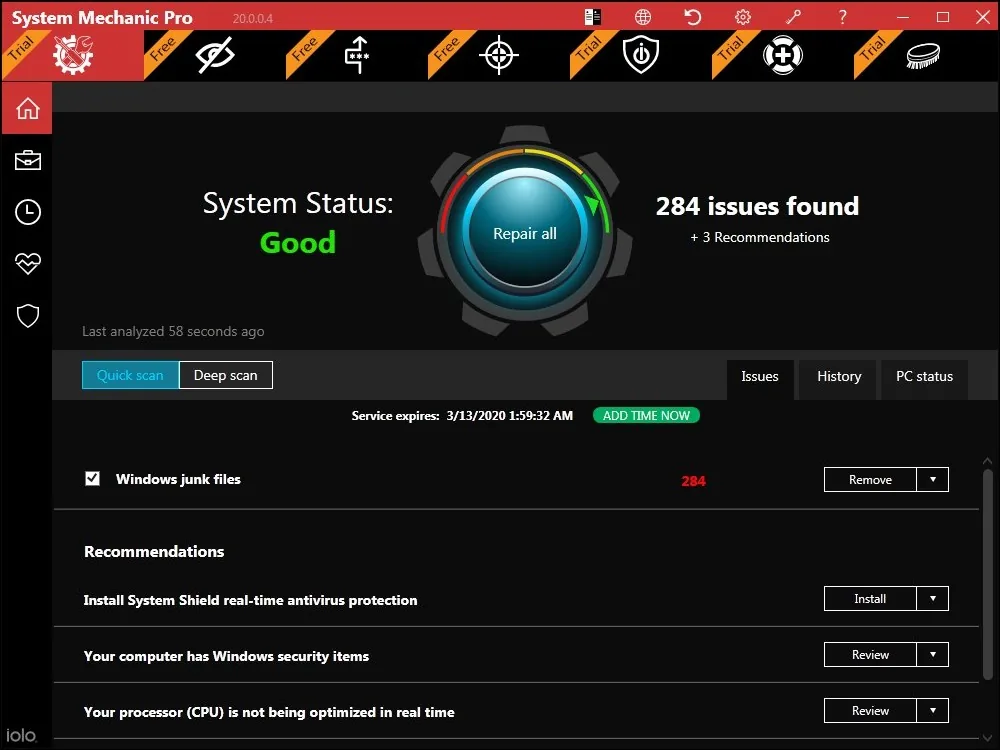
When you run the optimizer for the first time, you are prompted to analyze the system. On the left, there is a menu with the following entries: Dashboard, Toolbox, ActiveCare, LiveBoost, Security. Dashboard tab contains Overview and Issues sections, and Overview is where you choose system analysis type - deep or quick. Service Status indicates trial time left in a free version, or available upgrades to install in Pro.
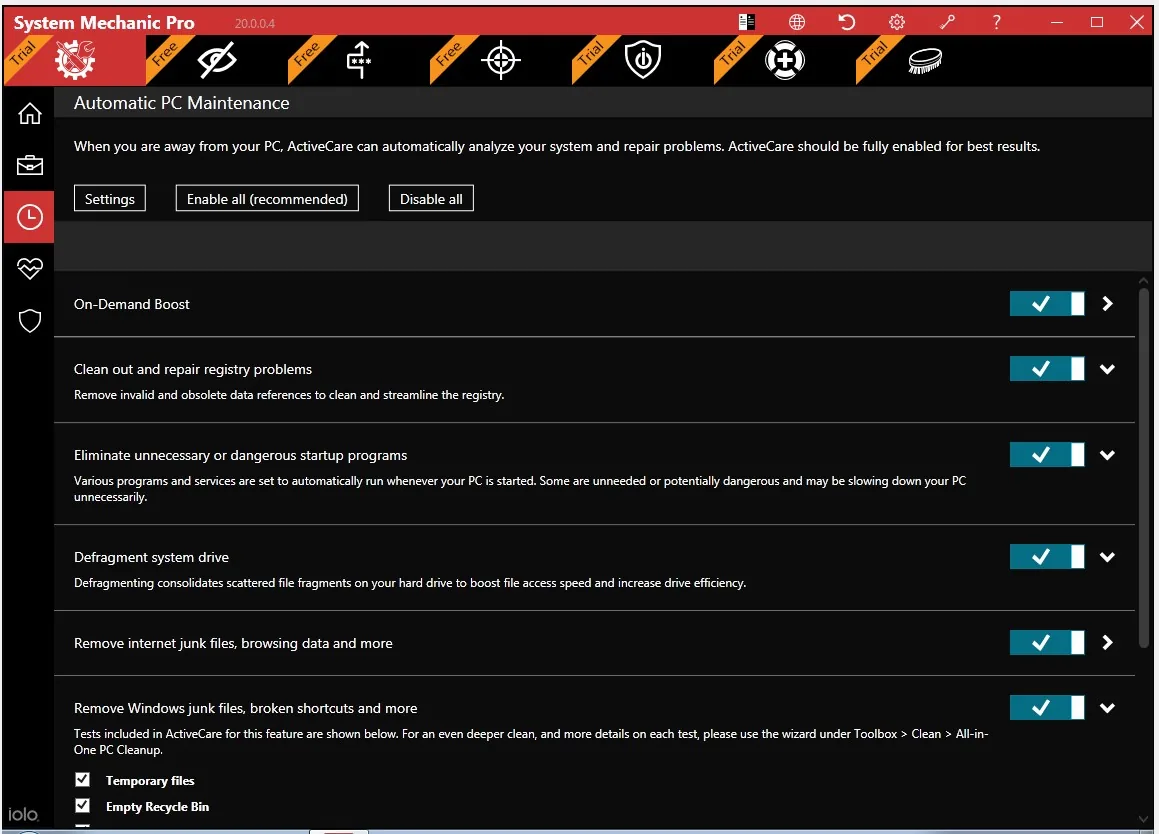
Issues tab is pretty self-explanatory. Toolbox contains 6 more sub-tabs: All-in-one (multiple functions arranged via wizards), Clean, Speed up, Protect, Recover, Manage. Each of them contains a set of proper tools for corresponding purpose. Active Care serves to configure automatic optimization, repair and maintenance of PC. RAMJet maximizes available memory, modes in PowerSence help to boost performance depending on what apps are running, and so on.
Security tab allows to adjust anti-malware features, enable/disable System Mechanic monitoring, as well as setting up firewall. Real-time boost tab contains info on issues, energy efficiency, system reliability and PC status.
Overall, interface is convenient, features are laid out logically and easy to find. We did not encounter any advertisements, pop-ups etc., unlike in many other products. In the new version of System Mechanic tool tips were redesigned. Instead of pop-ups to click, now feature descriptions are directly visible in the interface.
Tip. Use the “Switch color theme” button on the top panel to change the color scheme to white or black.
Features
Now let’s discuss the central point of System Mechanic: functionality, what is there to optimize PC work and how it actually works. There are several areas. Active system tune-up includes optimization, repair and security tools.
These are actions to optimize PC startup, registry, configure Internet connection, system drive, detect and fix errors/broken shortcuts, etc. Security actions include detecting vulnerabilities, backing up registry every 14 days, disabling Windows 10 telemetry, wiping all data from a drive and permanently remove files. Below is the summary.
| System Tune-up | Free | Pro |
| Optimize startup configuration | No | ✔️ |
| Optimize Internet configuration | No | ✔️ |
| Optimize system drive | ✔️ | ✔️ |
| Defragment and compact registry | No | ✔️ |
| Repair WMI conflicts | No | ✔️ |
| Repair registry problems | ✔️ | ✔️ |
| Repair broken shortcuts | No | ✔️ |
| Repair broken Internet connection | No | ✔️ |
| Repair security vulnerabilities | No | ✔️ |
| Back up registry every 14 days | No | ✔️ |
| Disable Wi-Fi Sense Services | No | ✔️ |
| Disable SmartScreen | No | ✔️ |
| Turn off Windows 10 telemetry | No | ✔️ |
| Clean up system clutter | ✔️ | ✔️ |
| Download and install updated Tune-up definitions | No | ✔️ |
Next up, is active system monitoring section. Basically, it constantly monitors CPU use, speed, responsiveness, Internet speed, startup and running programs.
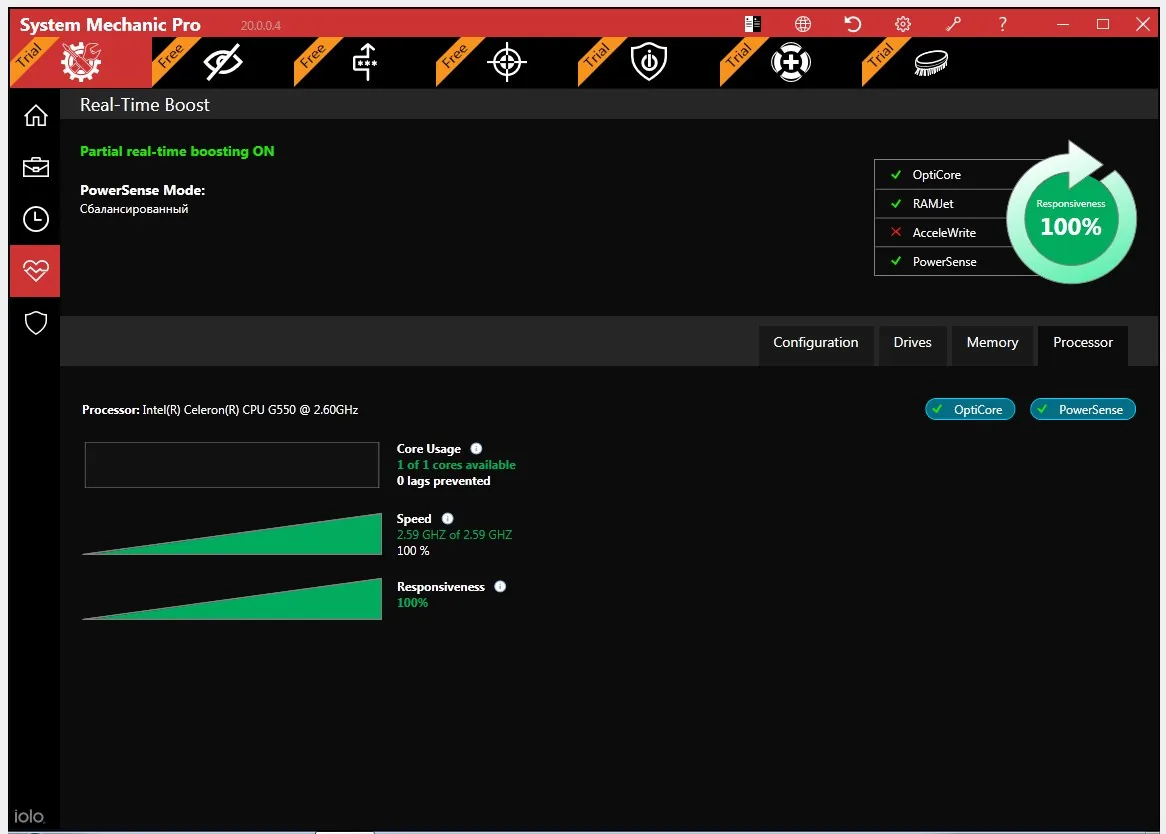
To improve performance, System Mechanic offers tools like Liveboost (hard drives, CPU, RAM), On-demand Boost (background services), Program Accelerator (re-aligns programs on hard drive), Super Control Panel (also known as "Control Panel in God mode"), Memory Mechanic (optimizes RAM).
| System state active monitoring | Free | Pro |
| CPU usage | No | ✔️ |
| Processor speed | No | ✔️ |
| Processor responsiveness | No | ✔️ |
| RAM usage | ✔️ | ✔️ |
| Drive fragmentation prevention | No | ✔️ |
| Startup programs | ✔️ | ✔️ |
| Running programs | ✔️ | ✔️ |
Cleaning options, a.k.a. Clutter Cleaning in System Mechanic, include taking care of junk files, securely erasing private sensitive data, repairing registry errors, removing software redundancies, finding duplicate files, etc.
| Cleaning tools | Free | Pro |
| PC Cleanup | ✔️ | ✔️ |
| Junk File Finder | ✔️ | ✔️ |
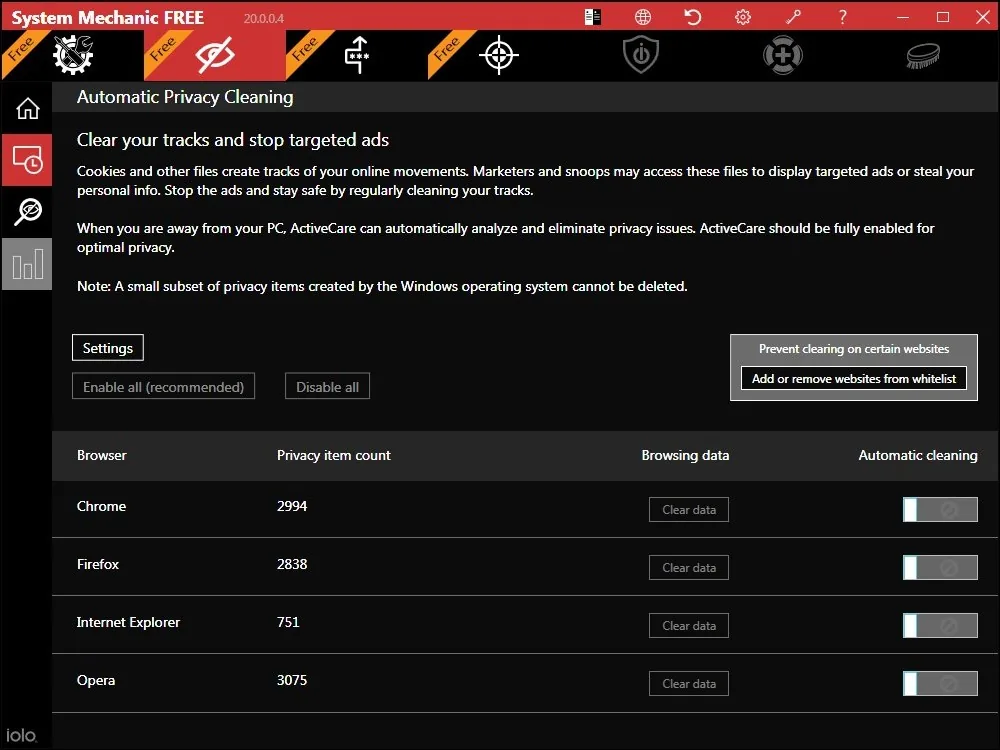
| Privacy Cleaner | ✔️ | ✔️ |
| Registry Cleaner | ✔️ | ✔️ |
| CRUDD Remover | No | ✔️ |
| Shortcut Repair | No | ✔️ |
| Advanced Unistaller | No | ✔️ |
| Duplicate File Inspector | No | ✔️ |
Tip. SafetyNet is the service able to roll back any changes made by System Mechanic. To open the list of completed actions, click the arrow icon on the top panel.
Speed up tools are the above-mentioned NetBooster, SSD Accelerator, Startup Optimizer, Startup Manager, Registry Compactor… but also Process Manager to organize running processes, and Memory Mechanic - to utilize free memory in the most efficient way possible.
| Speed up tools | Free | Pro |
| NetBooster | No | ✔️ |
| Program Accelerator | ✔️ | ✔️ |
| SSD Accelerator | No | ✔️ |
| Memory Mechanic | No | ✔️ |
| Startup Optimizer | No | ✔️ |
| Startup Manager | No | ✔️ |
| Registry Compactor | No | ✔️ |
| Process Manager | No | ✔️ |
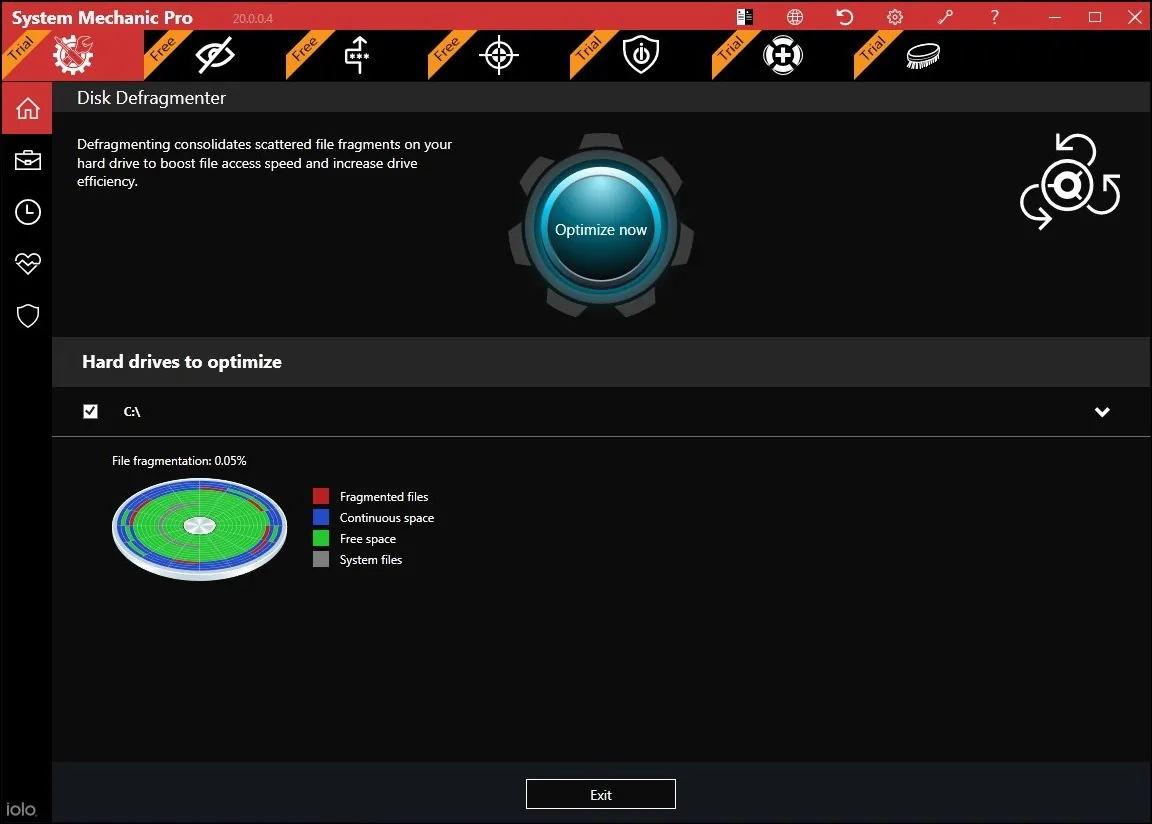
Recover and manage set of tools are various actions to fix security vulnerabilities, track system changes, recover data from a drive/disk, find and install drivers, monitor hard drive status, and more. Find summary below.
| Recover & manage | Free | Pro |
| Security Optimizer | No | ✔️ |
| System Change Tracker | No | ✔️ |
| Search & Recover | No | ✔️ |
| System TroubleSooter | No | ✔️ |
| Designated Drivers | No | ✔️ |
| Advanced System Information | No | ✔️ |
| DriveSense | No | ✔️ |
| NetSpeed Analyzer | No | ✔️ |
| PC Health Status Gadget | No | ✔️ |
| LiveBooster | No | ✔️ |
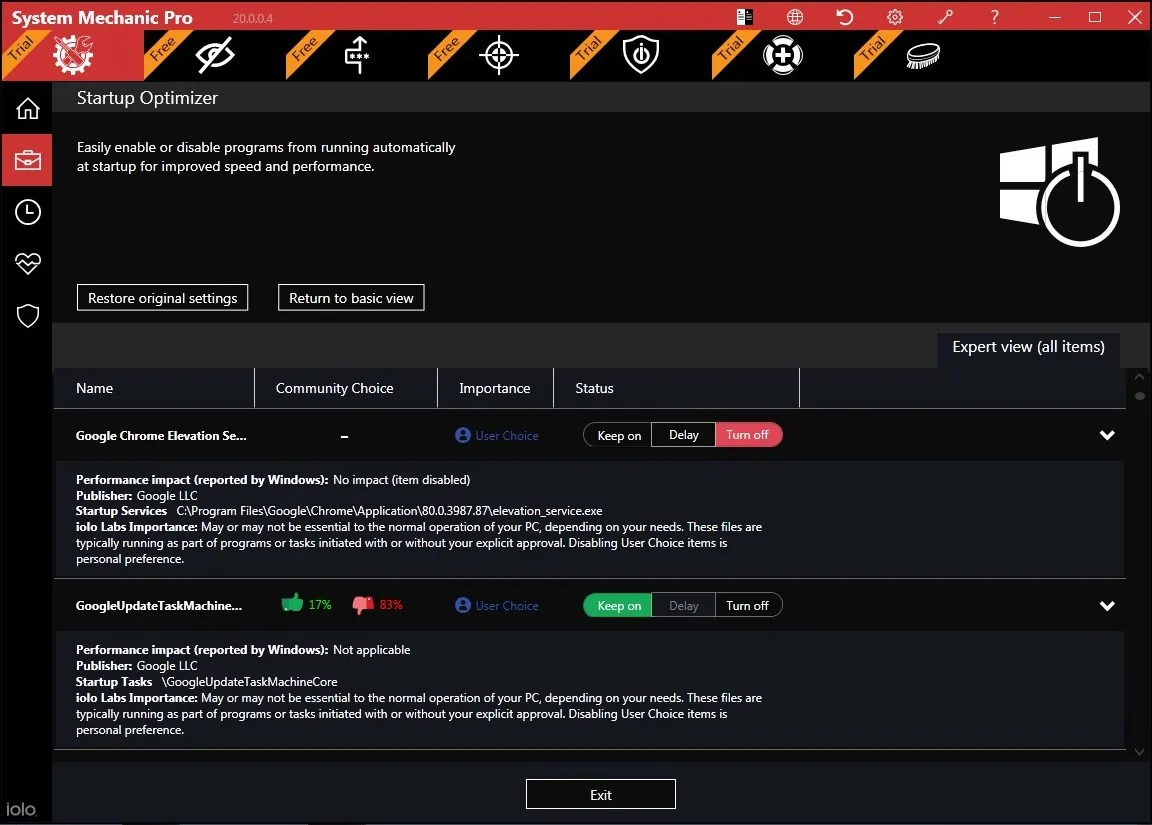
Exclusive features. As we said, in addition to basic optimization and PC health tools, there’s malware blocking (only in Pro) and bloatware removal - to detect startup programs that launch without permission. But System Mechanic claims to offer several more patented technologies, such as:
- ActiveCare - that finds and fixes problems on PC when it is not in active use;
- Program Accelerator - a calibration technology to ensure the fastest possible access to files;
- Startup Optimizer - that uses research-based classifications to identify issues;
- LiveBoost - to find patterns and prioritize programs to clean RAM, and so on.
- ByePass - secure password storage for Chrome and Firefox
- Privacy Guardian - removes web surfing traces in browsers.
- Drive Scrubber - wipes deleted data on disks. Allows up to 99 rewrite cycles.
Testing and how it worked for us
Deep scan detected about 5 GB of junk files related to the Windows and 465 MB of Internet activity traces. It also corrected privacy vulnerabilities and accelerated Internet connection speed by about 15%. The new System Mechanic has become much more convenient to use in comparison to its previous versions. The main parameters are available in the main window and on the top panel, which speeds up access to the main functions.
Also the time needed to scan was reduced. Deep scan on our test PC was completed in about 5 minutes, and a quick scan in 2 minutes. After it was finished, we also ran Disk Analyzer and it pointed out another 193 Mb of junk files. The integrated antimalware solution has a high degree of detection and quickly blocks detected threats. In our test, 16 out of 18 test files were blocked, including PUA and compressed files.
In conclusion
In total, System Mechanic helped to free up almost 5.5 GB on the hard drive and about 1% of RAM. We didn't notice a considerable improvement in PC performance or speed of tasks, but it's individual for every system. Design, interface and UX are convenient and offer a great single tool to monitor and manage everything on a PC. Unstable performance was the main disadvantage of previous versions of System Mechanic.
The program often crashed, and some functions didn't work correctly. New engine solved these problems, in any case, for several days of tests, we haven't notice any errors. Current bottom line: System Mechanic is perfect for removing junk files and freeing disk space. Also it has effective antimalware module however it isn’t ideal in boosting PC speed or performance though.
Read more Driver Booster Driver Booster review 2019 + Free download Auslogics BoostSpeed Auslogics BoostSpeed 11 review - August 2019
System Mechanic
FAQ
What is iolo System Mechanic?
It is a PC optimization software that finds issues and errors, and repairs them all.
How to activate System Mechanic?
Read the information in full on the official product page: https://www.iolo.com/install-and-activate-system-mechanic/
How good is System Mechanic?
It's a good option for both casual and professional users. Improving a PC could be done in just one click, while tech savvy guys may dig deep into system settings.
What is the latest version of System Mechanic?
The last update (as of August ‘19) was rolled out in July 2019, and it is v.19.0.1.
How many computers can I install System Mechanic on?
You, your friends and family may use the same license on any number of devices.
How much is System Mechanic?
Currently it is $40 for 1 year. You can check the latest pricing at: https://www.iolo.com/products/system-mechanic/
How to get technical support for System Mechanic?
Help link is in the top right corner of the program. It leads to product manual with various topics and troubleshooting. “Contact iolo” gets you to the support team via email or phone. There’s also System Mechanic Customer Care website at: https://support.iolo.com/support/home.
What is a System Mechanic LiveCare?
It's a tool for PC regular maintenance according to preferred actions and time.
What is a System Mechanic LiveBoost?
This is a technology for optimizing CPU and RAM parameters.
How to revert changes after System Mechanic?
System Mechanic backup center is called SystemNet. You can open it by clicking on arrow in right upper angle in main window.