Subscribe to our YouTube channel, to get our best video reviews, comparisons and performance tips:

Most probably, you have heard of cyber-crime and you may also have lost important data because of corrupted files and experienced the frustration of data recovery process. In extremely unfortunate cases, others may have been victims of hacked accounts on Facebook and Instagram. Either way, the results of data loss or viral attacks were not pleasant. Below you’ll find a selection of top free anti-malware software and our guide about this kind of software.
Best free anti-malware tools
So, now we move on to reviewing free anti-malware software and malware removal tools. Here is the taste of which programs are included. Also, we should note for all tests we used a typical laptop on Windows 7 64-bit system. And finally, you will find another table with a summary of performance metrics in the end of this article.
1. Key features comparison
| Product | Pro trial period (d) | Free version | Menu languages | Disk space | Test result | |
| 1 | Malwarebytes | 14 | ✔ | 24 | 211 MB | 31% |
| 2 | HitmanPro | 30 | ✔ | 20 | 11 MB | 23% |
| 3 | Emsisoft | 30 | ✘ | 19 | 766 MB | 38% |
| 4 | AVG Free Antivirus | 30 | ✔ | 26 | 946 MB | 92% |
| 5 | Spybot Search & Destroy | ✘ | ✔ | 7 | 185 MB | 8% |
| 6 | Windows MSRT | ✘ | ✔ | 25 | 30 MB | 77% |
| 7 | iolo System Defense | 30 | ✘ | 10 | 79 MB | 23% |
| 8 | Zemana Antimalware | 15 | ✘ | 15 | 43 MB | 23% |
| 9 | Comodo Free Antivirus | ✘ | ✔ | 27 | 131 MB | 92% |
| 10 | Avast Free Antivirus | ✘ | ✔ | 1 | 1.1 GB | 92% |
| 11 | GridinSoft Anti-Malware | ✘ | ✔ | 29 | 58 MB | 31% |
| 12 | IObit Malware Fighter | ✘ | ✔ | 34 | 775 MB | 46% |
| 13 | Xvirus Anti-Malware | ✘ | ✔ | 14 | 30 MB | 8% |
| 14 | STOPzilla | 15 | ✔ | 42 | 29 MB | 23% |
| 15 | Malware Killer | ✘ | ✔ | 1 | 17 MB | 15% |
| 16 | Kaspersky Internet Security | 30 | ✘ | 14 | 388 MB | 54% |
| 17 | Trend Micro Internet Security | 30 | ✘ | 20 | 751 MB | 54% |
| 18 | Total Defense Antivirus | 30 | ✘ | 1 | 170 MB | 70% |
| 19 | RogueKiller Anti-malware | ✘ | ✔ | 6 | 87 MB | 31% |
| 20 | Malwarefox | 15 | ✘ | 39 | 18 MB | 15% |
| 21 | Malware Hunter | ✘ | ✘ | 41 | 102 MB | 70% |
| 22 | Bytefence | 14 | ✘ | 11 | 31 MB | 70% |
| 23 | Secure Hunter | ✘ | ✔ | 1 | 41 MB | 7% |
| 24 | Wise Antimalware | ✘ | ✔ | 30 | 100 MB | 7% |
We tested and measured the following aspects:
- full scan time
- total files scanned
- threats and/or issues detected
- protection and interface tools
With each tool we ran a full scan to see what and how many issues it finds. Afterwards, we didn’t delete and malware, so we would be scanning the same system with same vulnerabilities and check how other anti-malware tools perform. Below are three comparison tables of top 24 free antimalware software performance, protection and interface:
2. Performance comparison
| Product | Full scan time | Files scanned | Threats detected | PUA Detection | |
| 1 | Malwarebytes | 0:01:31 | 241,413 | 51 | ✔ |
| 2 | HitmanPro | 0:02:04 | 754,198 | 3 | ✔ |
| 3 | Emsisoft | 0:03:28 | 220,172 | 5 | ✔ |
| 4 | AVG Free Antivirus | 0:01:30 | N/A | 12 | ✔ |
| 5 | Spybot Search & Destroy | 0:29:43 | N/A | 1 | ✘ |
| 6 | Windows MSRT | 0:41:48 | 845,240 | 10 | ✔ |
| 7 | iolo System Defense | 0:01:21 | 1,200 | 3 | ✔ |
| 8 | Zemana Antimalware | 0:00:58 | 1,279 | 3 | ✔ |
| 9 | Comodo Free Antivirus | 0:13:45 | N/A | 12 | ✔ |
| 10 | Avast Free Antivirus | 0:28:12 | N/A | 12 | ✔ |
| 11 | GridinSoft Anti-Malware | 0:12:06 | 101,561 | 4 | ✔ |
| 12 | IObit Malware Fighter | 0:06:08 | 110,829 | 6 | ✔ |
| 13 | Xvirus Anti-Malware | 3:27:22 | 193,542 | 1 | ✘ |
| 14 | STOPzilla | 0:05:28 | 47,690 | 3 | ✔ |
| 15 | Malware Killer | Pro | N/A | 2 | ✘ |
| 16 | Kaspersky Internet Security | 0:27:41 | N/A | 7 | ✔ |
| 17 | Trend Micro Internet Security | 0:16:01 | 143,793 | 7 | ✔ |
| 18 | Total Defense Antivirus | 0:37:29 | N/A | 9 | ✔ |
| 19 | RogueKiller Anti-malware | 0:08:59 | 1,036 | 4 | ✘ |
| 20 | Malwarefox | 0:05:28 | 50,408 | 2 | ✔ |
| 21 | Malware Hunter | 0:15:34 | 162,545 | 9 | ✔ |
| 22 | Bytefence | 0:12:03 | N/A | 9 | ✔ |
| 23 | Secure Hunter | Pro | N/A | 1 | ✘ |
| 24 | Wise Antimalware | Pro | N/A | 1 | ✘ |
3. Protection features comparison
| Product | Real-time protection | Packed files scan | Cloud protection | Offline Signatures | Antiransomware | Antispyware | Removable devices (USB) | RAM monitoring | Self protection | Browser protection | |
|---|---|---|---|---|---|---|---|---|---|---|---|
| 1 | Malwarebytes | ✔ | ✔ | ✔ | ✔ | Pro | ✔ | ✘ | ✘ | ✘ | ✔ |
| 2 | HitmanPro | ✔ | Pro | ✔ | Pro | ✘ | Pro | Pro | ✘ | ✘ | ✔ |
| 3 | Emsisoft | ✔ | ✔ | ✔ | ✔ | ✔ | ✔ | ✔ | ✔ | ✔ | ✔ |
| 4 | AVG Free Antivirus | ✔ | ✔ | ✔ | ✔ | Pro | ✔ | ✔ | ✔ | ✔ | Pro |
| 5 | Spybot Search & Destroy | ✘ | ✔ | ✘ | ✔ | Pro | Pro | ✔ | ✔ | ✔ | Pro |
| 6 | Windows MSRT | ✘ | ✔ | ✘ | ✔ | ✘ | ✘ | ✘ | ✘ | ✘ | ✘ |
| 7 | iolo System Defense | ✔ | ✘ | ✔ | ✘ | ✘ | ✔ | ✔ | ✔ | ✘ | ✔ |
| 8 | Zemana Antimalware | ✔ | ✘ | ✔ | ✔ | Pro | Pro | ✔ | Pro | ✘ | ✔ |
| 9 | Comodo Free Antivirus | ✔ | ✔ | ✔ | ✔ | ✔ | ✔ | ✔ | ✔ | ✔ | ✔ |
| 10 | Avast Free Antivirus | ✔ | ✔ | ✔ | ✔ | ✔ | ✔ | ✔ | ✔ | ✔ | ✔ |
| 11 | GridinSoft Anti-Malware | Pro | ✔ | ✔ | Pro | ✘ | Pro | ✔ | Pro | ✘ | Pro |
| 12 | IObit Malware Fighter | ✔ | ✔ | ✘ | ✔ | Pro | ✔ | Pro | Pro | ✔ | Pro |
| 13 | Xvirus Anti-Malware | ✔ | ✔ | ✔ | ✘ | ✘ | ✔ | ✘ | ✘ | ✘ | ✘ |
| 14 | STOPzilla | ✔ | ✘ | ✘ | ✔ | ✘ | ✘ | ✘ | ✘ | ✘ | ✔ |
| 15 | Malware Killer | ✔ | Pro | ✔ | ✔ | ✘ | ✔ | ✘ | Pro | Pro | ✘ |
| 16 | Kaspersky Internet Security | ✔ | ✔ | ✔ | ✔ | ✘ | ✔ | ✔ | ✔ | ✔ | ✔ |
| 17 | Trend Micro Internet Security | ✔ | ✔ | ✔ | ✔ | ✔ | ✔ | ✔ | ✔ | ✔ | ✔ |
| 18 | Total Defense Antivirus | ✔ | ✔ | ✔ | ✔ | ✘ | ✔ | ✘ | ✔ | ✔ | ✔ |
| 19 | RogueKiller Anti-malware | ✔ | ✔ | ✔ | Pro | ✘ | ✘ | Pro | ✔ | Pro | ✔ |
| 20 | Malwarefox | ✔ | ✔ | ✔ | ✔ | ✘ | ✔ | ✔ | ✔ | ✔ | ✔ |
| 21 | Malware Hunter | ✘ | ✔ | ✔ | Pro | ✘ | Pro | Pro | ✔ | Pro | ✔ |
| 22 | Bytefence | ✔ | ✔ | ✔ | ✔ | ✘ | Pro | Pro | ✔ | Pro | ✔ |
| 23 | Secure Hunter | ✔ | ✔ | ✘ | ✔ | ✘ | ✘ | ✔ | Pro | ✘ | ✘ |
| 24 | Wise Antimalware | ✔ | Pro | Pro | ✔ | ✘ | ✔ | Pro | Pro | ✘ | ✔ |
4. Interface features comparison
| Product | Custom scan | Scheduler | Quarantine | Portable | Privacy cleaner | Camera access control | Safe for files | |
|---|---|---|---|---|---|---|---|---|
| 1 | Malwarebytes | ✔ | ✔ | ✔ | ✘ | ✘ | ✘ | ✘ |
| 2 | HitmanPro | Pro | ✘ | ✔ | ✔ | ✘ | ✘ | ✘ |
| 3 | Emsisoft | ✔ | ✔ | ✔ | ✘ | ✔ | ✘ | ✘ |
| 4 | AVG Free Antivirus | ✔ | ✔ | ✔ | ✘ | ✘ | ✘ | ✘ |
| 5 | Spybot Search & Destroy | ✔ | ✘ | ✔ | ✘ | Pro | ✘ | ✘ |
| 6 | Windows MSRT | ✔ | ✘ | ✘ | ✔ | ✘ | ✘ | ✘ |
| 7 | iolo System Defense | ✔ | ✔ | ✔ | ✘ | ✔ | ✘ | ✘ |
| 8 | Zemana Antimalware | ✔ | ✘ | ✔ | ✘ | ✘ | ✘ | ✘ |
| 9 | Comodo Free Antivirus | ✔ | ✔ | ✔ | ✘ | ✘ | ✘ | ✘ |
| 10 | Avast Free Antivirus | ✔ | ✔ | ✔ | ✘ | ✘ | ✘ | ✘ |
| 11 | GridinSoft Anti-Malware | ✔ | Pro | Pro | ✘ | ✘ | Pro | Pro |
| 12 | IObit Malware Fighter | ✔ | ✔ | ✔ | ✘ | Pro | ✘ | ✘ |
| 13 | Xvirus Anti-Malware | ✔ | ✔ | ✔ | ✘ | ✘ | ✘ | ✘ |
| 14 | STOPzilla | ✔ | ✔ | ✔ | ✘ | ✘ | ✘ | ✘ |
| 15 | Malware Killer | ✔ | Pro | Pro | ✘ | ✘ | ✔ | ✔ |
| 16 | Kaspersky Internet Security | ✔ | ✔ | ✔ | ✘ | ✘ | ✘ | ✔ |
| 17 | Trend Micro Internet Security | ✔ | ✔ | ✔ | ✘ | ✔ | ✘ | ✔ |
| 18 | Total Defense Antivirus | ✔ | ✔ | ✔ | ✘ | ✘ | ✘ | ✘ |
| 19 | RogueKiller Anti-malware | Pro | Pro | ✔ | ✘ | ✘ | ✘ | ✘ |
| 20 | Malwarefox | ✔ | ✔ | ✔ | ✘ | ✘ | ✘ | ✘ |
| 21 | Malware Hunter | ✔ | ✘ | ✔ | ✘ | ✔ | ✘ | ✘ |
| 22 | Bytefence | ✔ | ✔ | ✔ | ✘ | ✘ | ✘ | ✘ |
| 23 | Secure Hunter | ✔ | ✔ | ✘ | ✘ | ✘ | ✘ | ✘ |
| 24 | Wise Antimalware | Pro | ✔ | ✘ | ✘ | ✔ | ✘ | ✘ |
IObit Malware Fighter Free
OS: Windows (XP to 10) | Trial: free version, Pro: $19.95/year | Money back guarantee: 60 days | Custom scan: yes | Country: USA
Malware Fighter 6.2 Free is a part of IObit security and performance optimization software, which includes Driver Booster, Advanced Systemcare, Smart Defrag, Password manager, etc. This one is a security package that aims to protect casual web surfing from newest malicious threats like ransomware and adware. It detects all kinds of malware, and there are various types of scan (critical, full, direct) which is pretty handy.
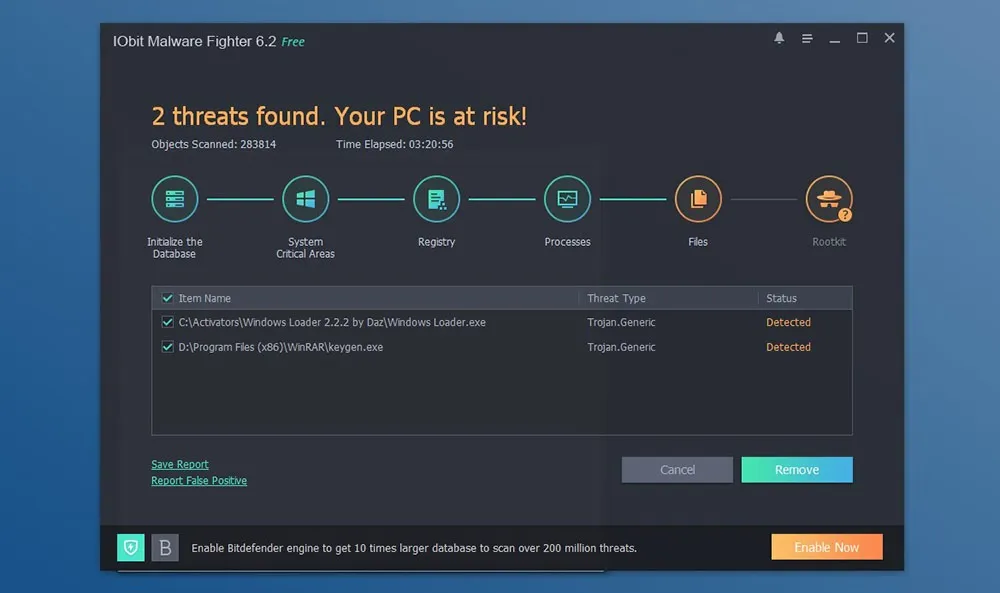
Tips. Select custom installation at the very beginning if you don’t want any additional software and newsletter subscription. Take advantage of extra tools, like Safe Box – to keep sensitive files separately, safe boot times, ads removal, browser protection against cryptocurrency mining. For more: read the full Malware Fighter review.
Pros
- Extensive database of threats, updated regularly
- 3 types of malware scanning for various scenarios
- Informs users about new ransomware in Notifications
Cons
- Pushing for other additional IObit products
- Full scanning is quite lengthy
- Static size interface that takes most of the screen
Verdict. A fine anti malware app, particularly recommended to identify mining activities, ransomware, as well as protect PCs against unwanted ads, PUPs, that may slow down browsers. Overall, a good web protection tool for both home and business use, but only for quick scans of critical areas.
| Plan | Type | Price | Devices |
| 30-days | Trial | $0.00 | 1 |
| Free | License | $0.00 | 1 |
| 1-year | Subscription | $19.95 | 1 |
| 1-year | Subscription | $23.99 | 3 |
OS: Windows (7 to 10) | Trial: 30-days, Pro: $63.96/year | Money back guarantee: 60 days | Custom scan: yes | Country: USA
System Mechanic Ultimate Defense is a new product from IOLO that offers a modern all-in-one solution. It implements 6 layers of protection (modules), the main being a real-time antimalware scanner, of course. Certified VB-100 technology halts potential infections in the early stages, applying behavioral analysis. To speed up scan and detection, System Mechanic has its own threat database, which excludes trusted files from scanning to save PC resources and time. ByePass password manager and automatic Privacy cleaner are integrated as part of a secure networking system.
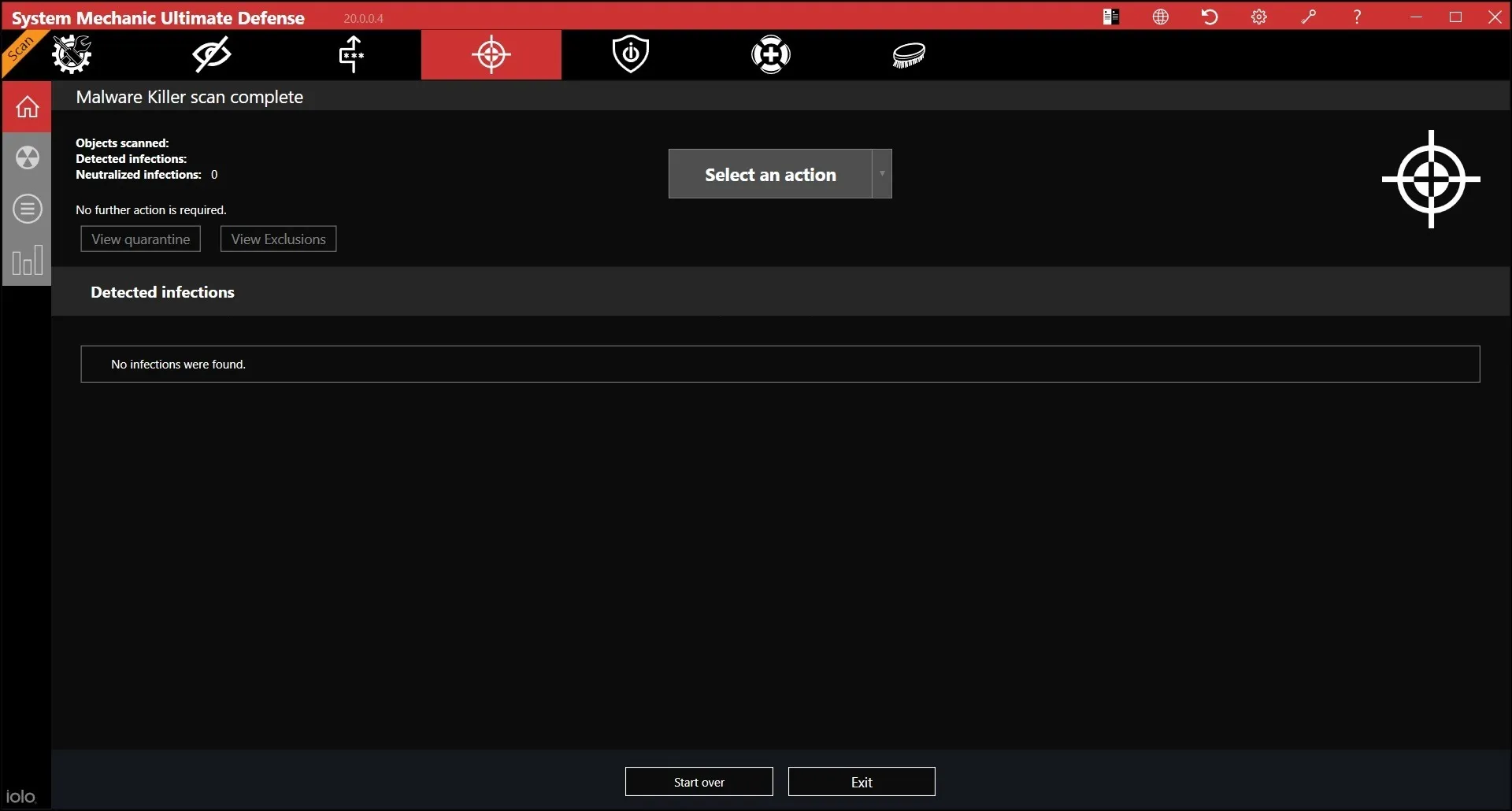
Tips. Check the security component tabs from time to time for advice to improve security of PC and browser. For more: read the full System Mechanic review.
Pros
- Perfect results in testing
- Built-in PC optimizer
- Deleted files recovery
Cons
- High Price
- Very limited trial
- Too many tabs in interface
Verdict. The integration of antimalware modules in System Mechanic Pro has created a universal software product. It provides basic protection against network threats and high-quality protection against viruses and malicious files. During our tests, it successfully detected more than 90% of the threats.
| Plan | Type | Price | Devices |
| 30-days | Trial | $0.00 | 1 |
| 1-year | Subscription | $63.96 | 1 |
MalwareBytes
OS: Windows (XP to 10), Mac, Android, iOS | Trial: 14 days, Pro: $40/year | Money back guarantee: 60 days | Custom scan: yes | Country: USA
Developed to offer a multi-layered security level to PCs by cleaning and keeping at bay all forms of malware currently known. Malwarebytes free version also easily gets rid of spyware by identifying and removing any suspicious files. Malwarebytes is an anti malware software that detects and cleans up infected computer drives. The free version is actually a 14-day trial.
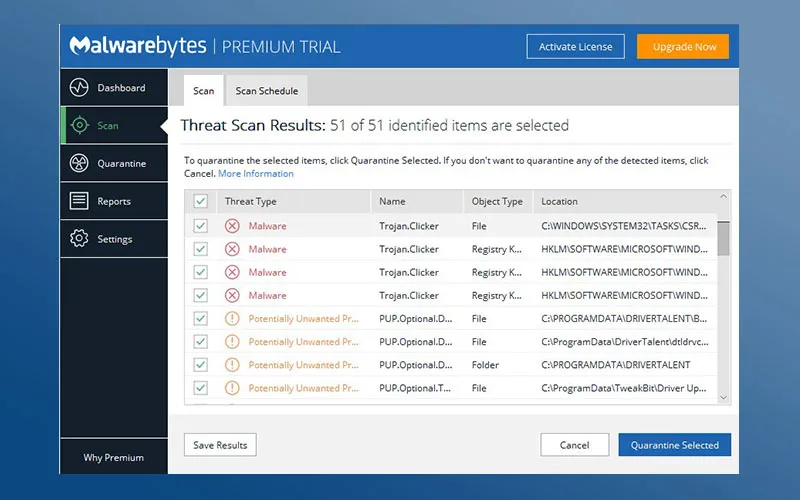
Tips: In case you love having a backup on the go, this anti-malware can be carried on a USB and run it on USB. Take advantage of the highly flexible Command Line Interface (CLI). Web browsing feels really safe with real-time protection like this:
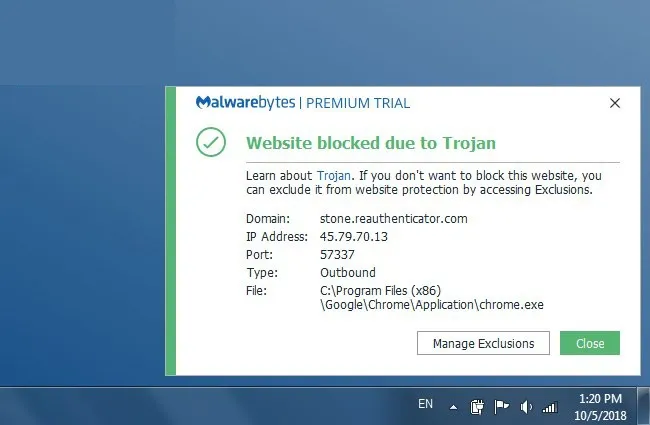
Additionally, Malwarebytes defends against all kinds of online threats and takes one more step further by educating users about it. For example, it covers:
- Malware – malicious programs or codes that aim to invade and damage computers/devices, i.e. viruses, worms, trojans, cryptomining, keyloggers, rootkits, explouts, etc.
- Ransomware – a type of malware that blocks users from system or personal files, demanding payment to regain access.
- Spyware – malicious programs that infect a PC/phone to collect user information, browsing habits, etc., i.e. password stealers, banking trojans, keyloggers.
- Adware – programs that aim to display ads on a screen or in a browser, a.k.a. PUPs – potentially unwanted programs.
- Cryptojacking – a newly emerging threat, programs that hide on devices and use it to mine cryptocurrencies.
- Phishing – the most direct and blatant form of hacking in form of deceiving users into sharing sensitive data, like passwords or credit card numbers. Malwarebytes Premium detects such suspicious sites and warns you from going there.
Pros
- It detects and removes spyware, botnets, Trojan horses and other infections
- Very easy to use and has straightforward instructions that can be easily followed
- Enhances real-time protection against infection when used with antivirus
Cons
- Does not operate singly and needs reinforcement from antivirus software
- Cannot be automatically scheduled to carry out malware scanning
- Most of the features quickly expire prompting you to update to the paid version
Verdict: Malwarebytes effectively ‘bites off’ any popup ads that can easily spawn your computer. With this program, Potentially Unwanted Programs (PUPs) are instantly deleted and removed from the system. While running Malwarebytes, we didn’t notice any PUPs, it brings a professional feel to the way one uses their PC.
| Plan | Type | Price | Devices |
| 30-days trial | Trial | $0.00 | 1 |
| Free | License | $0.00 | 1 |
| 1-year | Subscription | $39.99 | 1 |
| 1-year | Subscription | $79.99 | 5 |
Read the full MalwareBytes review
Malwarefox
OS: Windows (7 to 10) | Installer: 7MB | Trial: 15 days, Pro: $26.24/year | Money back guarantee: 30 days | Custom scan: yes | Country: USA
It has both free and Premium version, the difference being that most of anti-malware features are available in the latter, e.g. real-time protection, set of anti-adware/anti-spyware/anti-rootkit utilities. Actually free version is a 15-day free trial with a forced watermark.
43 menu languages, well-designed and intuitive UI, but questionable color solutions and visible borders between screens. In terms of functionality, MalwareFox offers scanning, quarantine, removal and event logs/history. There is no ability to adjust scanning or select scan type, as it basically works in 1 mode which is a “quick scan”, which performs mediocre (5 out of 18 threats during testing).
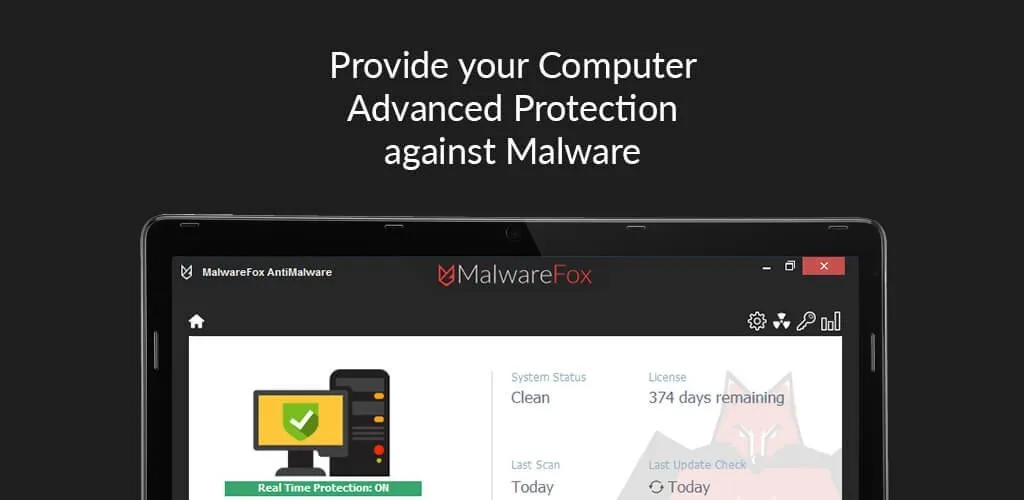
Tips. Malwarefox has some extra tools : a) exclusions – to uncheck certain files/folders as safe; b) auto launch at PC startup – to minimize risks (but there’s no password); c) automatic send off of unknown files for cloud scanning; d) sound alerts when threats are detected; e) detection of suspicious certificates (though unclear policy about the process).
Pros
- Portable version available
- Quick and well-performing scan
- Easy to use, interface themes to choose
Cons
- Database updates only manually
- No real-time protection mode
- Some features aren't fully implemented
Verdict. Malwarefox is a lightweight antimalware software with a handy drag-n-drop area to check files/folders individually if needed which makes it easy in use., Also, it has program status tab – with license, system health, date of last scanning, date of last updates, etc, so it will be good for unexperienced users.
| Plan | Type | Price | Devices |
| Free | License | $0.00 | 1 |
| Home for 1-year | Subscription | $26.24 | 1 |
| Family for 1-year | Subscription | $13.74 | 3 |
Kaspersky Internet Security
OS: Windows (7 to 10) | Trial: 30 days, Pro: $40/year | Money back guarantee: 30 days | Custom scan: yes | Country: Russia
New antivirus product from Kaspersky Lab now comes with a module defending against malicious software, and it consumes less system resources thanks to rebuilt algorithms. You can manage devices in My Kaspersky account, which also provides access to password manager and parental control options.
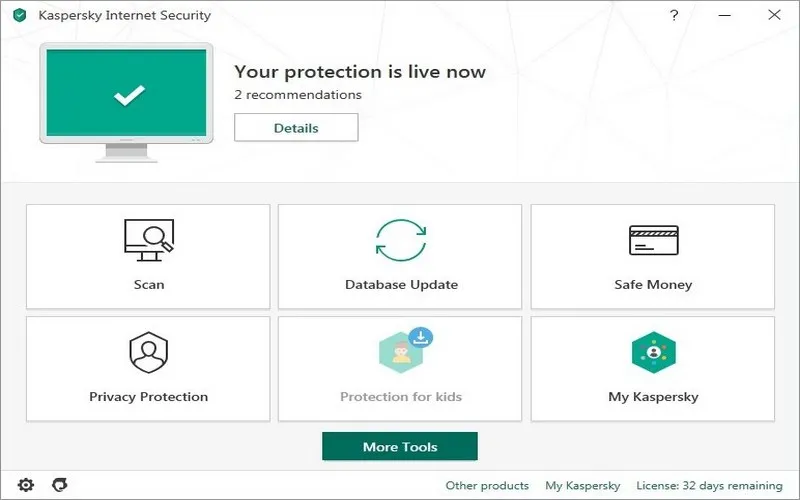
Tips. Kaspersky Secure VPN can be safely removed if you don’t want to use it – it won’t key Kaspersky functionality.
Pros
- Adblocker inside
- Software updater
- Low resource usage
Cons
- Limited traffic in VPN
- Poor customization options
- Difficult menu in some parts
Verdict. Kaspersky Internet Security has definitely become better in recent years. However, it still needs more tools for protection and configuration options.
Read the full Kaspersky Internet Security review
| Plan | Type | Price | Devices |
| 30-days | Trial | $0.00 | 1 |
| 1-year | Subscription | $39.99 | 3 |
| 2-years | Subscription | $79.99 | 3 |
| 3-years | Subscription | $119.99 | 3 |
Zemana Antimalware
OS: Windows (XP to 10) | Trial: 30 days, Premium: $25/year | Money back guarantee: 30 days | Custom scan: yes | Country: Bosnia and Herzegovina
Developed to run a full scan upon prompting, Zemana works by detecting and storing file fingerprints on a cloud server after deleting them from your computer. This free anti-malware program uses negligible hard drive space and can be used together with other similar tools.
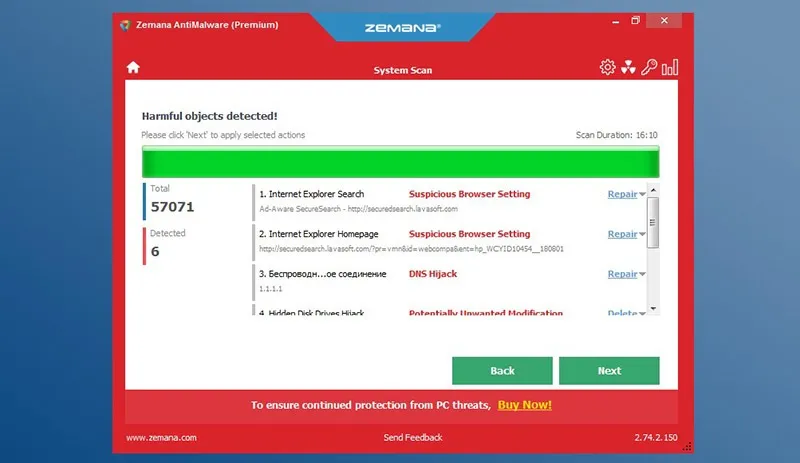
Tips. Drop specific files or folders (see main dashboard) for a deep scan. For best results, it should be used alongside another antivirus as an additional security tool. It has a built-in scheduler that one can program to run every time the PC is booted, daily, weekly or at set times.
Pros
- Highly optimized and lightweight
- Works without leaving any footprints on your PC
- Quick and easy-to-install
- Offers real-time protection
Cons
- Does not have a free version, therefore, one needs to pay for annual usage for after the trial
- It hadn't detected plenty of malware files as other tools had
- Quite long scanning times
Verdict. Zemana utilizes few resources and yet conducts full scans. Since it was never developed to be the first line of defense this anti-malware is very effective to compliment other antivirus software. We think its helpful in the sense that it seamlessly works with our other antivirus tools and lives to fulfill their claims.
| Plan | Type | Price | Devices |
| 30-days trial | Trial | $0.00 | 1 |
| 1-year | Subscription | $24.95 | 1 |
| 2-years | Subscription | $37.95 | 1 |
| 3-years | Subscription | $49.95 | 1 |
HitmanPro
OS: Windows (XP to 10) | Trial: 30 days, Plus: $25/year | Money back guarantee: no | Custom scan: no | Country: USA
HitmanPro by Sophos offers a fast and targeted malware scanning, and it can run alongside other antivirus software. The US vendor also claims to be applying special “behavior-based techniques”, unlike virus signatures in typical tools, that help identify brand new malware files even if they seem innocent.
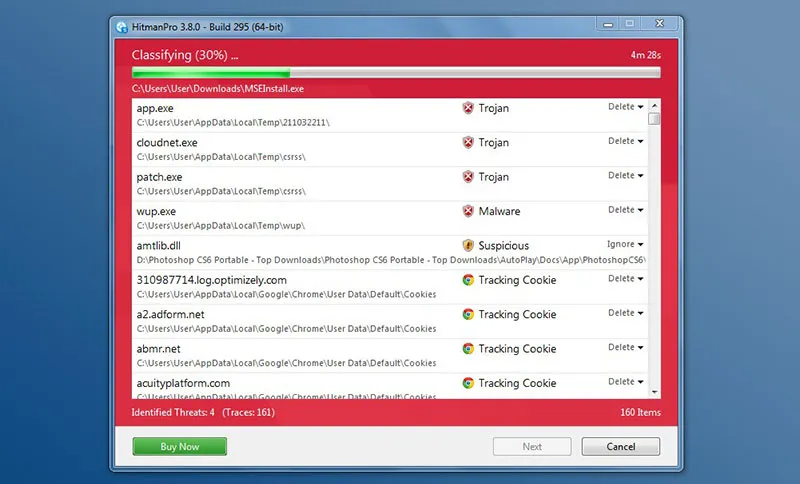
Tips. Take advantage of the powerful 30-day trial version to find malware and suspicious programs. It can also run from any PC, flash drive or other storage/device.
Pros
- Signals in big red interface color if it detects threats
- Save log feature
- Database of threats plus cloud technology scanning
Cons
- Only trial for 30-days free
- Available only for Windows
- Collects all PC performance issues rather than focusing on malware
Verdict. HitmanPro is a small easy tool, that is effective in detecting and removing malicious software. In our test it found the biggest number of issues, even beyond malware/adware, e.g. old cookies, outdated drivers, trails of past programs, etc.
| Plan | Type | Price | Devices |
| 30-days trial | Trial | $0.00 | 1 |
| 1-year | Subscription | $24.95 | 1 |
| 3-year | Subscription | $49.95 | 1 |
| 1-year | Subscription | $37.95 | 3 |
| 3-years | Subscription | $74.90 | 3 |
Emsisoft Anti-Malware
OS: Windows (7 to 10) | Trial: 30 days, Pro: $30/year | Money back guarantee: 30 days | Custom scan: yes | Country: New Zealand
This kit is useful for scanning, detecting and cleaning harmful viruses, spyware, keyloggers, adware and other malware on your PC. Comes with a portable version, meaning it can be carried on a device like a USB drive. Has a relatively faster speed when compared to other anti-malware tools of the same scope.
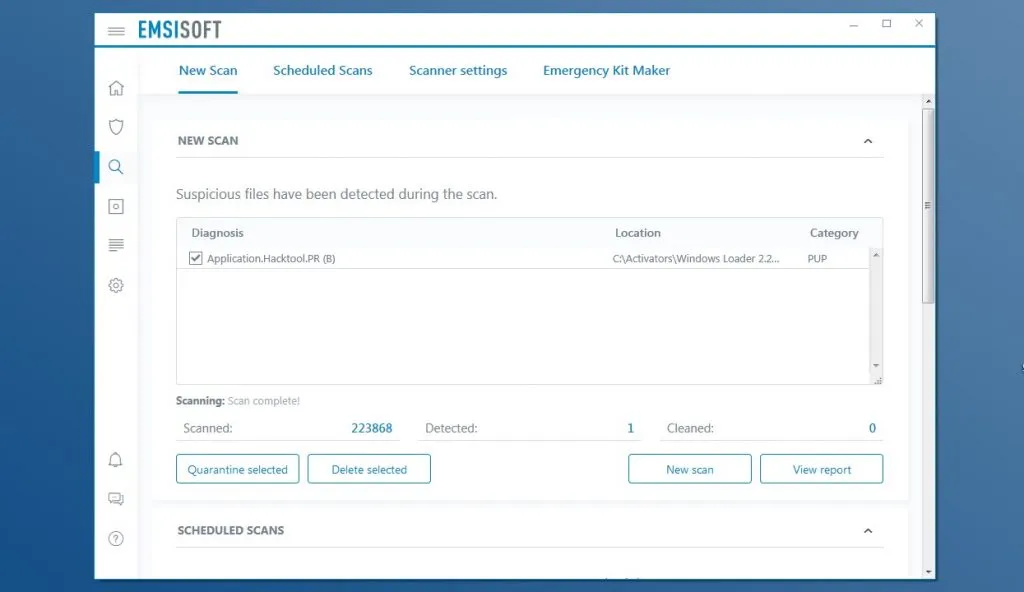
Tips. Users can take advantage of the custom scan feature to decide what or what not to remove, in case you’re a noob, you can opt for default scan settings that will automatically carry out a full scan according to the engine’s capabilities.
Pros
- Very effective in destroying malware with a 90% success rate
- The monthly release of newer versions of Emsisoft ensures that it is not easy to modify or replicate it thereby making it more secure
- It is compatible with all Windows versions
Cons
- Lesst useful against infections, rather effective as a counteractive tool against malware
- Not actually free - only 30-day trial available
- Requires to stop a running antivirus program
- May slow down the whole system
Verdict. We ran Emsisoft and initially had time to select the files and programs to be scanned. The scan engine works quietly in the background. Later, we shifted to manual selection – which still works but takes a lot of time and proved to be taxing. Thus, when using Emsisoft, it would be best to use manual side. The anti-malware scores highly in malware detection and cleaning out malware from a PC.
| Plan | Type | Price | Devices |
| 30-days trial | Trial | $0.00 | 1 |
| Free | License | $0.00 | 1 |
| 1-year Home | Subscription | $29.99 | 1 |
AVG Antivirus Free
OS: Windows (XP to 10), Mac, Android | Trial: N/A, Pro: N/A | Money back guarantee: not required | Custom scan: yes | Country: Czech Republic
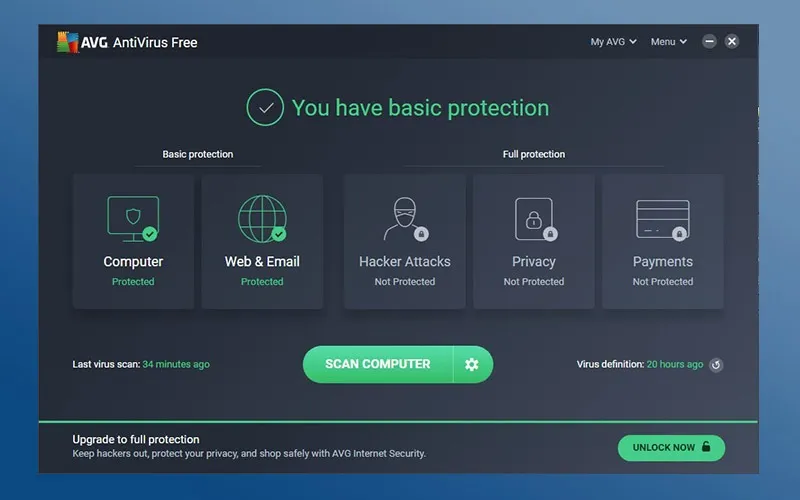
AVG is a subsidiary of Avast and has been in operation since the 90s. It is well known for strong antivirus software programs. AVG malware removal must be fully installed on the machine to use the services and as an anti-malware tool. AVG employs cloud technologies to scan the attachments and computer drives for malware.
Pros
- The tool works to block an average of 4-million threats on any single day
- Provides real-time protection and works unnoticed on the background
- Easy to install and use and utilizes
Cons
- Not very effective for anti-phishing purposes
- The user has to manually monitor the tool to keep it updated as it does not have an automatic ability for this function
Tips. First, use AVG’s real-time protection feature for cloud scanning to get an early warning on threats. Second, if you are looking to find a report log after scanning, you’re in bad luck. In fact, AVG support team acknowledges that their anti-malware tool does not have scan results in user interface. Instead, we can find it in C:\ProgramData\AVG\Antivirus\report – in Windows. Overall, AVG not only protects your system but also covers internet activity, thus AVG detects various malware and ransomware in real-time.
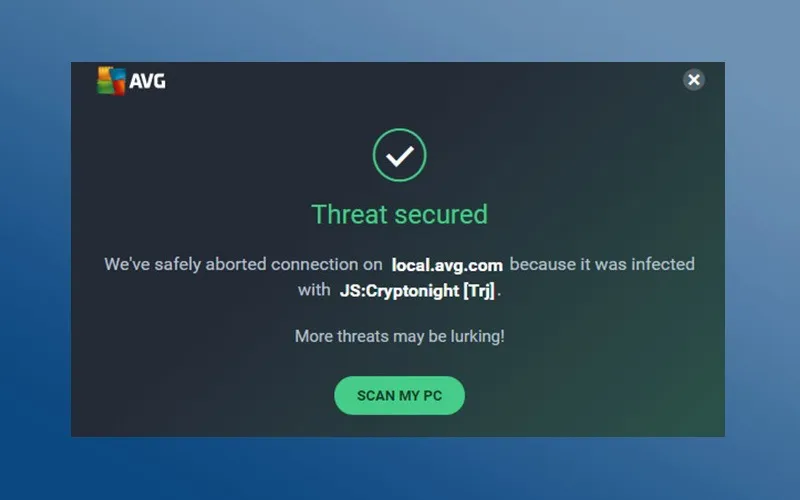
Verdict. The effectiveness of AVG scans and repair coupled with the ease of use makes it a popular antivirus, as well as malware removal tool. Although, don’t forget this is a free version, and even with “Deep Scan” feature to find spyware, limitations apply. Overall, AVG is worth trying out for basic protection.
| Plan | Type | Price | Devices |
| Free | License | $0.00 | 1 |
Spybot Search & Destroy
OS: Windows (XP to 10) | Trial: no, Pro: $15/year | Money back guarantee: no | Custom scan: no | Country: Ireland
Spybot offers a counteractive solution to spyware and adware by detecting and removing malware from a Windows system. Spybot introduced the first adware in the industry by picking it out soon after establishment in 2000. It additionally acts as a guard against future attacks by malicious software. Mostly understood by professionals and advanced users who have an excellent understanding of malware.
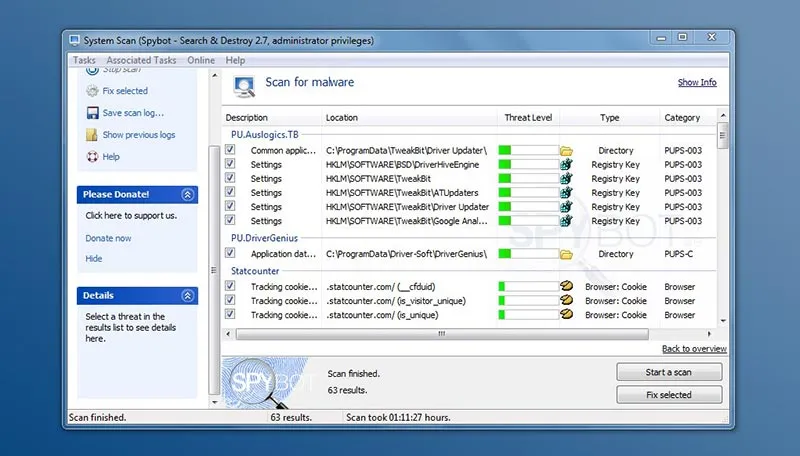
That said, Spybot automatically detects adware networks and their attempts at redirection, registry modifications, changes in browser configuration (Internet Explorer and Firefox). Free edition includes features like anti-spyware, anti-adware, ad removal, program cleaner, cookie cleaner.
Pros
- The full version is relatively cheaper in comparison to other antivirus packages available
- Easy to use with a single click action enough to get rid of malware
- Offers immunisation against future malware attacks
Cons
- The Spybot free version does not scan for viruses
- It is slow in scanning (over 1 hour) and updating
- Somewhat tricky interface and workflow
Tips. It is best to use Spybot together with an antivirus for the best results. Also be on the lookout to avoid the fake versions in circulation. To download SpyBot free edition, click Donate in products section to name your price, or visit here. Also, save scan log in .txt is available.
Verdict. Spybot Search & Destroy anti-malware did an above satisfactory job in identifying and fixing malware, spyware and adware on our system. We discovered that it worked more as a system repair tool as opposed to the protection feature we expected. Thus, Spybot is not the number one recommendation for system protection.
| Plan | Type | Price | Devices |
| 30-days | Trial | $0.00 | 1 |
| Free | License | Donate | 1 |
| 1-year Home | Subscription | $16.99 | 1 |
| 1-year Professional | Subscription | $27.99 | 1 |
Read the full SpyBot review
Windows Malicious Software Removal Tool
OS: Windows (7 to 10), Windows Server | Trial/Pro: free forever | Money back guarantee: not required | Custom scan: no | Country: USA
This is a malware protection tool developed for the Windows operating system and has been in operation since 2005. A new version is released monthly as an update. The tool must be used together with a trusted antivirus program as advised by the developers, Windows Defender Antivirus first of all. Using MSRT is most relevant when one turns off automatic updates for Windows, which would also runs the tool in the background.
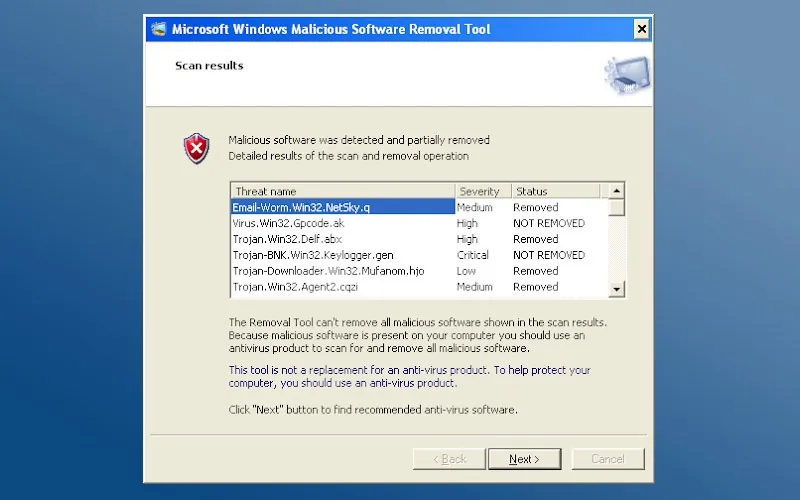
Tips. Should best be used in conjunction with other antivirus tools because it does not stay running in the background and need to be manually started. The program automatically removes any active malicious software detected with just a click of the restart button.
Pros
- Works to check for an extensive list of the different types of malware
- It is portable
- Can perform 3 types of scans
Cons
- Cumbersome to use since the machine must be restarted in order to fix any detected malware
- Does not offer real-time protection since it does not stay running all the time
Verdict. It is effective for malware detection and cleaning up but cannot guarantee total protection if used alone – most effective if used together with another antivirus. This is a major concern though because one can never fully rely on Windows Malicious Software Removal Tool for a thorough job protecting their system. Hence, the program has a low rating/score based on failure to offer solid stand-alone protection in real time.
| Plan | Type | Price | Devices |
| Free | License | $0.00 | 1 |
Comodo Free Antivirus
OS: Windows (7 to 10) | Trial: N/A, Pro: N/A | Money back guarantee: not required | Custom scan: no | Country: Romania
Lightly coined as the best virus removal tool currently available, Comodo antivirus combines the functionality of antivirus plus free anti-malware. The tool is the product of the Comodo Company, which has been in operation since 2001. It is compatible with most operating systems and detects different types of malware.
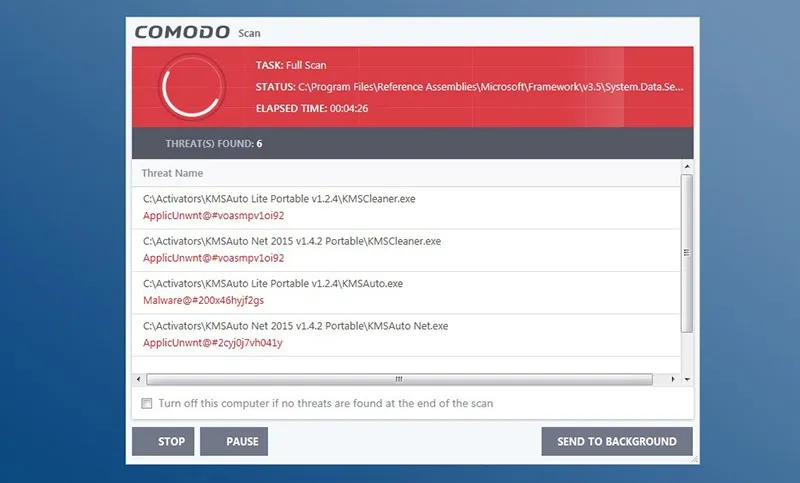
Tips. The Comodo Antivirus package can be used in its entirety to successfully identify and get rid of the constantly changing cybersecurity threats. The anti-malware software comes with the malware removal services, this can help in getting used to and trusting one brand for a thorough job. In addition, here’s the useful overview on how to use Comodo:
Pros
- Scores highly in AV tests for virus and malware detection
- Has proof of capabilities in the form of battle-tested and proven technolog
- Comodo has one of the best technology against complicated threats
- Pause/Stop button during scans
Cons
- Automatic operation sometimes interferes with legitimate programs
- Use of implied protection can block outbound files wrongly identified as malware by the tool
- Installs additional files even if a user chose not to
Verdict. Comodo provides users with a mature, full package. Quick basic scan took us about 10 minutes and found 1 threat, while full scan lasted over an hour and resulted in 55 threats. Overall, testing Comodo was fine because of its straightforwardness, advanced operation features. When looking for a serious and effective tool for malware detection and protection, Comodo free antivirus is sure set to deliver.
| Plan | Type | Price | Devices |
| Free | License | $0.00 | 1 |
Avast Free Antivirus
OS: Windows (XP to 10), Mac, Android | Trial: N/A, Pro: N/A | Money back guarantee: not required | Custom scan: yes | Country: Czech Republic
Avast is an antivirus designed to offer real-time protection against malware threats by scanning and detecting potential threats on your system. At the same time this tool is relatively lightweight and usually displays its ransom findings before files can be encrypted. Furthermore, Avast free antivirus comes with the rare and highly-sought after intelligent threat-detection feature.
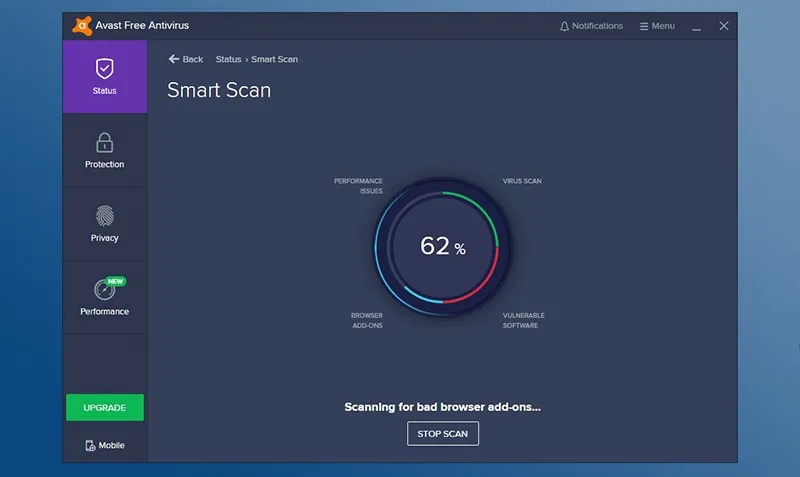
Tips. Can be used in combination with another tool for example Malwarebytes. If you find it difficult to find a quarantine in Avast, not they just call it Virus Chest. Or, another way to find scanning logs is to go this route (C:\ProgramData\AVAST Software\Avast\log) on your PC.
Also, there is a brand new feature that has been added mid-2018 – Ransomware shield. Though, it is available now in Avast Premier and Avast Internet Security, it’s great in a way that it secures personal documents, photos, files from ransomware attacks. With it, users may specify which folders to protect specifically.
Pros
- Scores highly in malware detection
- Easy-to-install and use, lightweight and easily optimized
- Compatible with most operating systems including Android for smartphones
Cons
- Comes with many ads and pop-ups which can be distracting and time-consuming.
Verdict. Actually, Avast came with a host of security-related tools as well as handy utilities (which we found surprising since this was a free version on trial). At the end of the day, it was easy to understand that the ease of installation and usage, as well as the added real-time protection features, make Avast popular among basic users including gamers.
| Plan | Type | Price | Devices |
| Free | License | $0.00 | 1 |
Gridinsoft Anti-Malware
OS: Windows (XP to 10) | Trial: N/A, Pro: $40/year | Money back guarantee: 30 days | Custom scan: yes | Country: Ukraine
This antimalware app by Gridinsoft company runs on all popular versions of Windows OS, and is great to check for spyware, adware, PUPs, etc. The main drawback in its free version is that it only scans a computer – for removal functionality one has to pay. After the scan all threats are grouped and there’s a notification, a path to it on PC and a threat level to each threat or suspicious program.
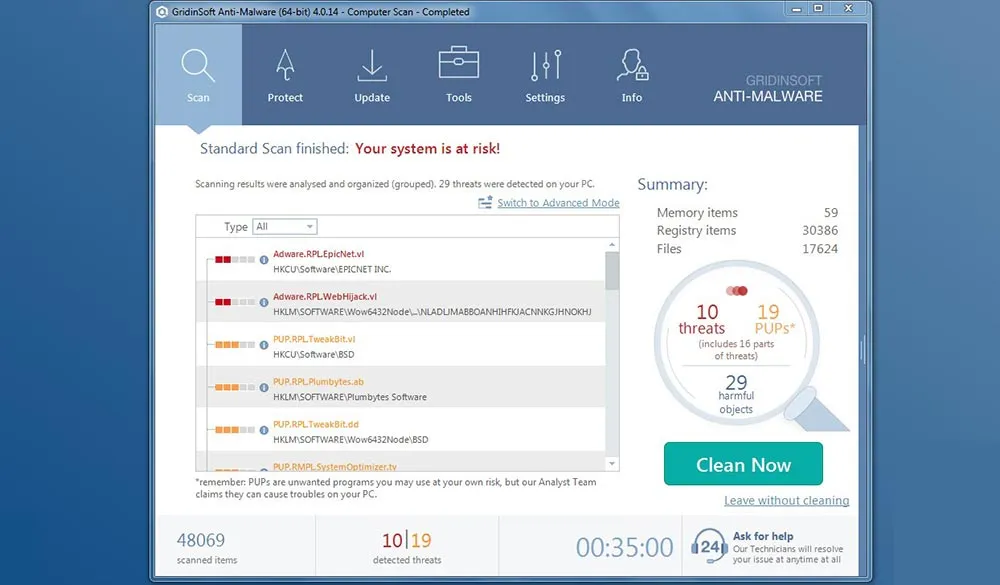
Tips. A good tool to check for spyware and other types of malicious software. Pro version (select 6 months or 12 months) offers benefits like unlimited scans, malware removal, 24/7 support.
Pros
- Pause/stop scan
- Detailed progress display with each file, folder, registry, etc.
- Several types of scan, scan logs, extra tools
- Portable Trojan-killer edition available
Cons
- To remove malware threats, activation is required ($30 minimal)
- May slow down your PC while scanning
- No possibility to remove threats separately
- No customization of interface or screen size
Verdict. A fine malware scanner tool, that does not take much space on user’s PC or device. The publisher follows a typical business strategy: use for free to scan, pay to remove and clean.
| Plan | Type | Price | Devices |
| Free | License | $0.00 | 1 |
| 6-months | Subscription | $29.95 | 1 |
| 1-year | Subscription | $39.95 | 1 |
| Lifetime | License | $89.95 | 1 |
Xvirus Anti-Malware
OS: Windows (Vista to 10) | Trial: 0 days, Pro: €20/year | Money back guarantee: no | Custom scan: yes | Country: N/A
A tiny and straightforward tool against malware, Xvirus Anti-Malware 7.0.5, will help you protect from various threats luring online. And even those that most antivirus programs won’t detect. It is totally free to use, even for real-time operation, and of course, they have a Pro version to purchase with some extra options. It works for all relevant versions of Windows.
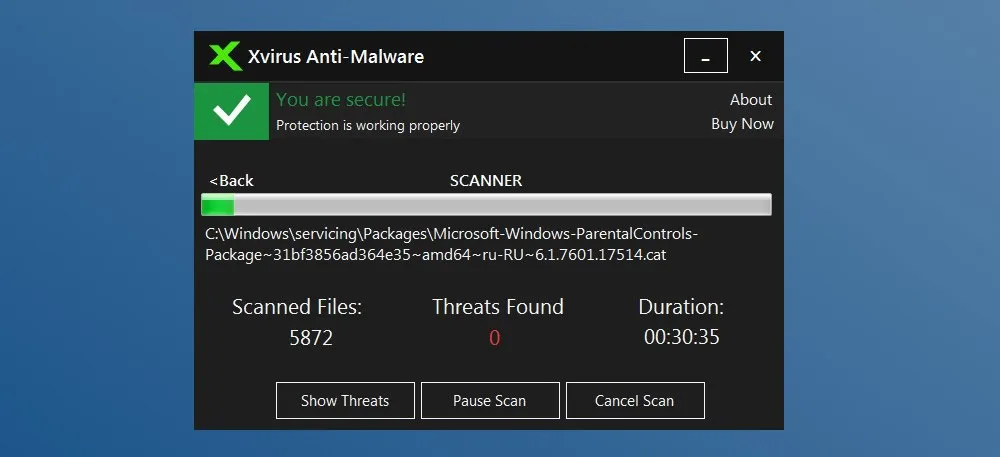
Tips. Use for express quick scans of critical areas to detect and remove malware. It takes 3-5 minutes and is able to find major threats.
Pros
- Makes friends with your current antivirus
- Database to protect from adware, ransomware, malware
- Automatic updates, scheduling, extra tools available
Cons
- Full scanning takes forever (over 4 hours during the test)
- Detects less threats compared to other tools
- Unknown country of origin
Verdict. Xvirus works well to detect all kinds of harmful threats to your PC (spyware, trojan horses, ransomware, adware) in real-time. On the other hand, if you have to perform full scanning of your machine, be ready to set several hours aside. Extra protection shields, e.g. files guard, network guard, behavior guard, accompany the main features.
| Plan | Type | Price | Devices |
| Free | License | €0.00 | 1 |
| 1-year Personal Pack | Subscription | €19.99 | 1 |
| 1-year Family Pack | Subscription | €39.99 | 3 |
| 1-year Family Pack Plus | License | €59.99 | 5 |
STOPzilla AntiMalware
OS: Windows (Vista to 10) | Trial: 15 days, Premium: $20/year | Money back guarantee: 30 days | Custom scan: yes | Country: USA
STOPzilla v.6.5., a tool against all kinds of online and cyber threats (also an entirely US product – fake news?) is designed to fight and remove malicious apps. It comes with free 15-day trial version and $30 one-year subscription for 3 devices, and it is suitable for Windows 10, 8, 7, Vista. Although being plain and intuitive in use, in terms of design and performance it seems this antimalware remover is in need of improvements.
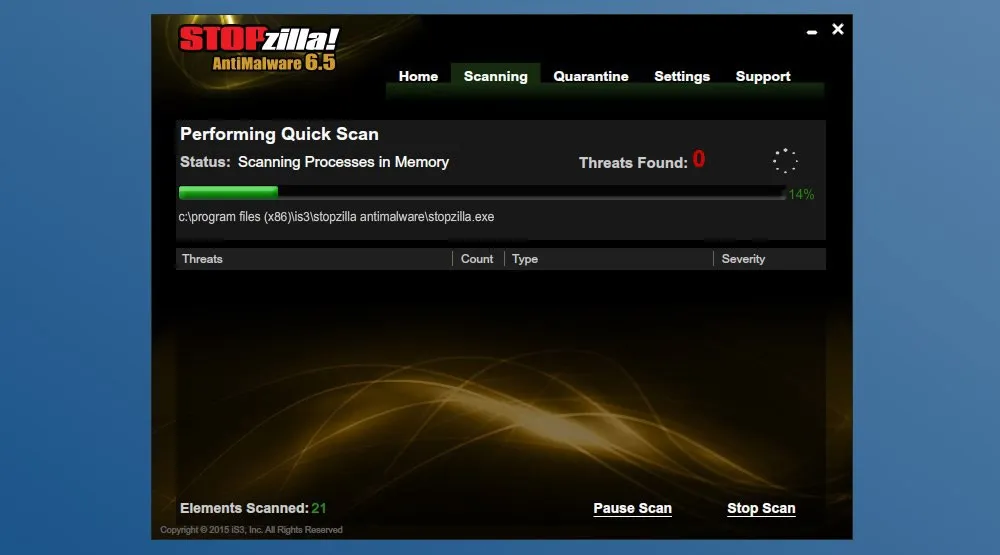
Tips. The most useful way to utilize STOPzilla is to run quick scans from time to time, which does not take much time. Also, make use of settings section to adjust it according to your needs.
Pros
- 3 types of scan: quick, custom and full
- Pause/Stop scan feature
- Threat database check on every scanning
Cons
- Out-of-date design and interface
- Only 2 menu languages (English and Spanish)
- No MacOS/iOS/Android versions
Verdict. We have a decent malware prevention software, which desperately requires an upgrade.
| Plan | Type | Price | Devices |
| 15-days | Trial | $0.00 | 1 |
| 1-year | Subscription | $19.95 | 1 |
| 1-year | Subscription | $29.95 | 3 |
| 1-year | Subscription | $39.95 | 5 |
Malware Killer
OS: Windows (7, 8, 10) | Trial: N/A, Premium: $20/year | Money back guarantee: no | Custom scan: yes | Country: USA
Malware Killer is the malware removal tool by IOLO Technologies who specialize in security and optimization software since 1998. This particular tool embeds cloud-based scanning and heuristic algorithm to be able to root out almost any kind of threats. All typical functionality of such apps comes with it – scheduler, scan logs, quarantine, etc.
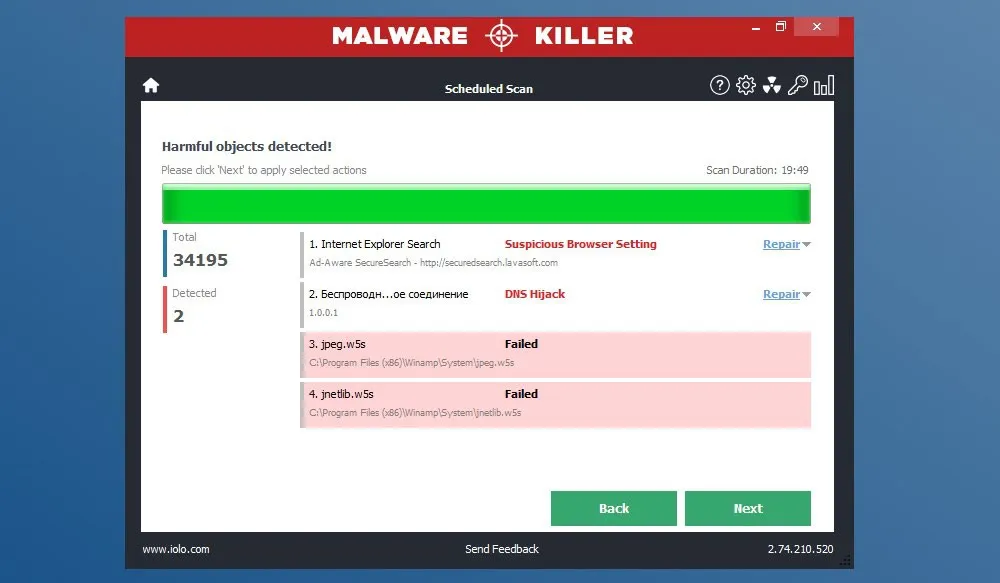
Tips. Skip Malware Killer landing page, and go to Iolo download page instead – to find a free version. If you face technical issues with the app, the fastest way to handle it would be calling the support on (877) 857-9289.
Pros
- Quick in installation, light and simple in use
- Starts scanning process immediately after launch
- ‘Drag a file/folder’ option to scan files individually
Cons
- Requires user email address to activate a free version
- All useful features are only available in paid version
- Design is a 99% copy of Zemana
Verdict. Effective in detecting issues, inefficient in practical use. Any action a user tries to undertake pushes him/her to buy a license.
| Plan | Type | Price | Devices |
| Free | License | $0.00 | 1 |
| 1-year | Subscription | $19.96 | 1 |
Trend Micro Internet Security
OS: Windows (7 to 10) | Trial: 30 days, Pro: $40/year | Money back guarantee: 30 days | Custom scan: yes | Country: Japan
Trend Micro Internet Security is a solution for those who want to organize an “impenetrable” multifunctional defense against malicious files. It allows to protect up to 5 computers in a home. In addition to antivirus, there are built-in parental control, email protection, PC Health Checker (wipe out junk files).
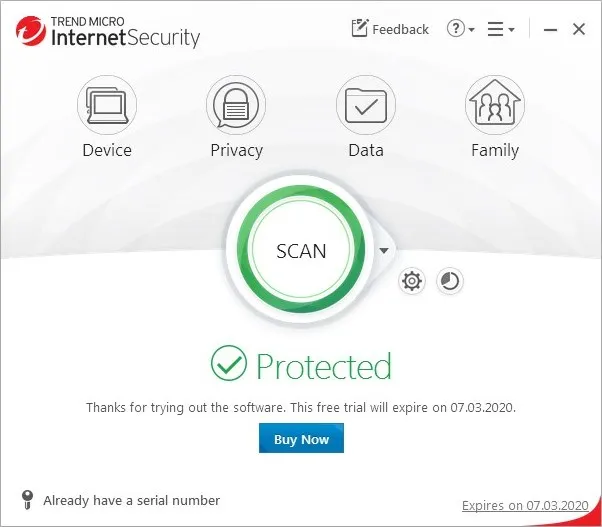
Tips. The Anti-ransomware module controls access to files and folders and requires a password to open it. Therefore, it will be a bad idea to place files that are in frequent use there.
Pros
- Quarantine for suspicious files
- Parental control
- Fast scanning
Cons
- No 24/7 support
- Mobile protection unavailable
- Uninformative scan logs
Verdict. A plain Trend Micro interface holds powerful tools inside It monitors all directions of potential malware attacks.
Read the full Trend Micro antivirus review
| Plan | Type | Price | Devices |
| 30-days | Trial | $0.00 | 1 |
| 1-year | Subscription | $39.95 | 3 |
| 2-years | Subscription | $59.99 | 3 |
Total Defense Antivirus
OS: Windows (7 to 10) | Trial: 30 days, Pro: $30/year | Money back guarantee: 30 days | Custom scan: yes | Country: USA
Some sources claim that Total Defense works through the Bitdefender engine, though we haven’t noticed anything about it, good or bad, or whatever. The main thing in our case, is that in real-time protection mode 70% of test malware was blocked, while regular scanning reached 94%. The app stores detected signatures on a local disk, so it could act even without the Internet connection.
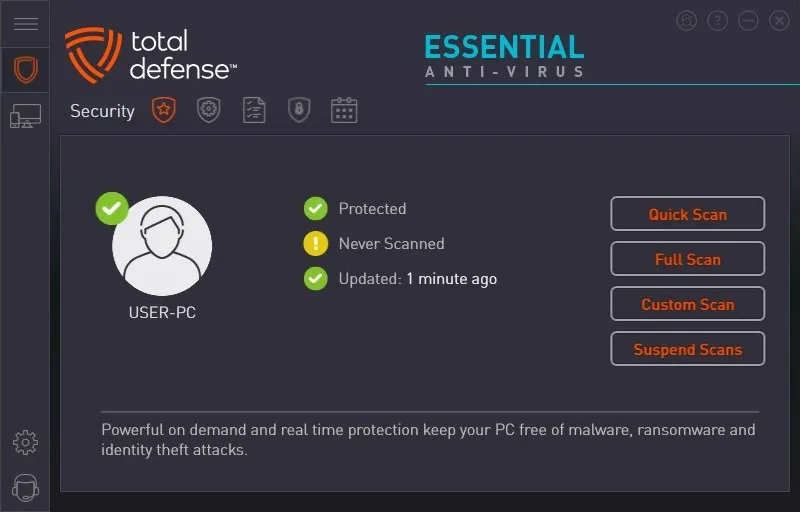
Tips. Total Defense official website doesn’t offer a direct link to trial. Instead, as one signs up, they send a one-time link to email, so use a real address.
Pros
- High detection rate
- PUA remover
- Affordable price
Cons
- Unfriendly menu
- Requires lot of disk space
- High resource use when scanning
Verdict. Total Defense has a decent antivirus engine, yet the interface lacks in terms of usability
| Plan | Type | Price | Devices |
| 30-days | Trial | $0.00 | 1 |
| 1-year | Subscription | $29.99 | 3 |
| 2-years | Subscription | $69.99 | 3 |
| 3-years | Subscription | $99.99 | 3 |
RogueKiller Anti-malware
OS: Windows (XP to 10) | Trial: 30 days, Pro: $13/year | Money back guarantee: 30 days | Custom scan: yes | Country: USA
Small but industrious app to seek and destroy malicious software and ill-minded attacks. It you’re wondering what is anti-malware and how does it work, RogueKiller is a nice example of a product that has everything for digital protection, minus active protection in real-time. In quarantine users can view infections up and close, and then decide to delete or allow.
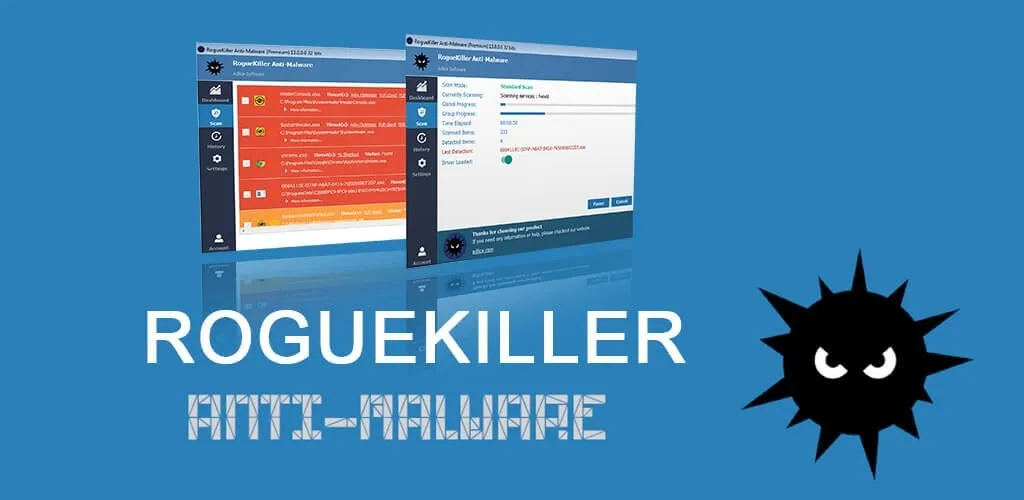
Tips. RogueKiller has 3 themes for interface, which can be selected without restart.
Pros
- Portable version available
- Quick and well-performing scan
- Easy to use, interface themes to choose
Cons
- Database updates only manually
- No real-time protection mode
- Some features aren't fully implemented
Verdict. RogueKiller Anti-Malware is good to scan a PC or a laptop for viruses, bots, scripts, spying apps, etc. and neutralize them before the damage is done.
| Plan | Type | Price | Devices |
| Free | Trial | $0.00 | 1 |
| Personal for 1-year | Subscription | $13.00 | 1 |
| Personal for 2-years | Subscription | $22.00 | 1 |
| Lifetime | License | $50.00 | 1 |
Wise Anti Malware
OS: Windows (7 to 10) | Trial: free version | Money back guarantee: 30 days | Custom scan: yes | Country: USA
Wise Anti Malware consumes a minimum of resources yet it provides an acceptable level of protection. It is proper for system monitoring in low infection risk conditions. The main protection factor is provided by real-time monitoring, which can block threats automatically or offer cleaning options. Additionally, it can stop adware and ransomware.
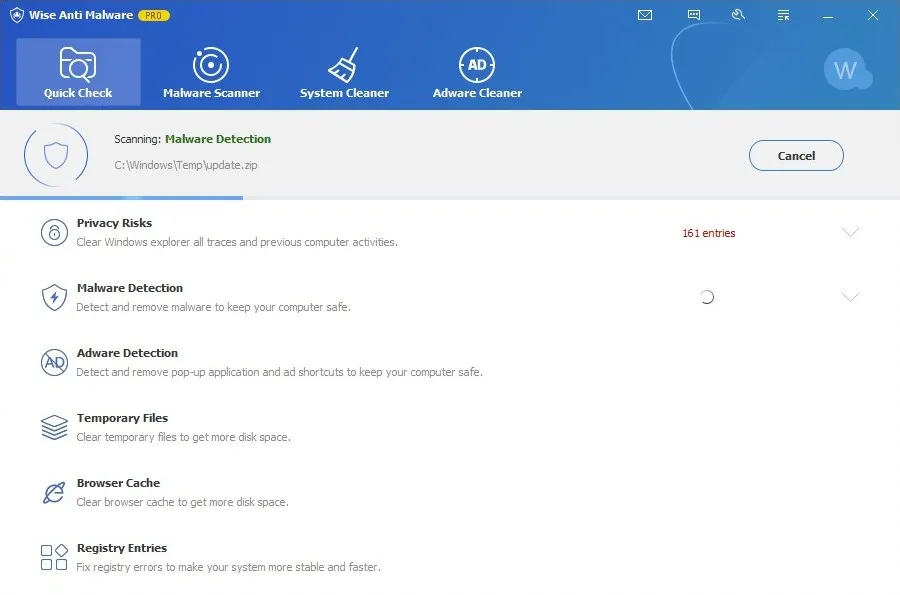
Tips. In addition to antimalware protection, Wise also contains a number of utilities for system cleaning from junk files.
Pros
- Portable version available
- Quick and well-performing scan
- Easy to use, interface themes to choose
Cons
- Database updates only manually
- No real-time protection mode
- Some features aren't fully implemented
Verdict. This program brings a high level of threat detection, without a significant impact on PC performance. It is also part of Wise Care 365, one of the best PC tuneup apps, with multiple tools for PC optimization.
| Plan | Type | Price | Devices |
| Free | License | $0.00 | 1 |
Few more honorable mentions
1. MalwareHunter
Utilizing Avira engine, it is a fine program to detect malware through 3 types of scans and to optimize a PC afterwards. Extensive database that is also being regularly updated. By and large, Malware Hunter suits best for personal use, with free and Pro versions, for those who want to insure against modern web threats and data leaks.
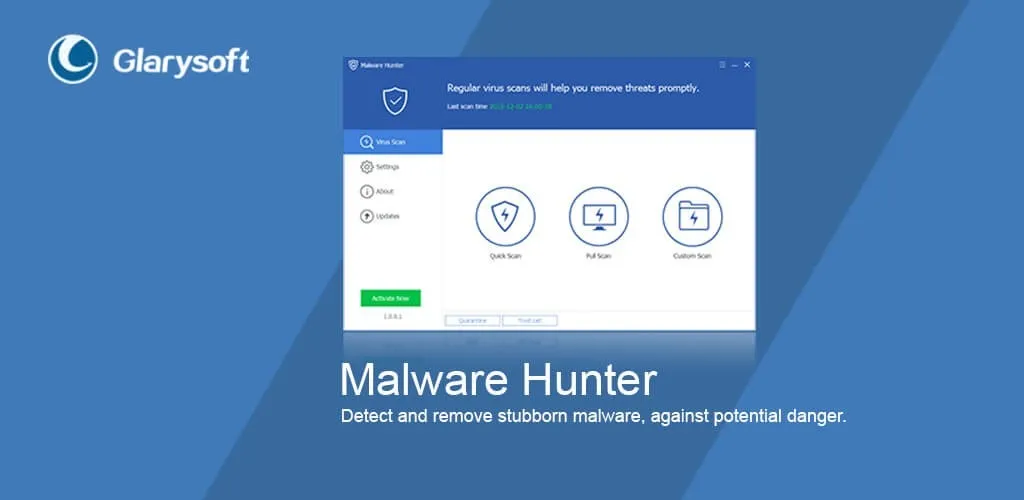
Scanning does not slow down the machine, displays stages, progress, files found, and can be stopped, paused or resumed. Reports section provides threat analysis after detection, with risk level, type, as well as search or export options.
Pros
- Interactive scanning process, with many details
- Avira engine with high rate of signature detection
- Extra tools for PC optimization
Cons
- No ability to inspect individual files and folders
- Scanning reports can’t be exported, only to view
- No proper technical support and manuals
Neat and compact interface is easy to operate, with features located on the left – scan, speed up, settings, clean up, etc. Extra tools available: CleanUp – to wipe the registry, plugins, random memory; SpeedUp – to analyze and improve startup files, running apps, system files, network, etc.
Key features: Avira engine, 3 scan modes, malware removal.
Pricing: Free, Pro – $24.97.
2. Secure Hunter
Installing from a .zip file, and then works by analyzing incoming files and running them by antivirus database. Overall, Secure Hunter is good for home or personal use, with both free and paid editions presented. It defends against spying programs, adware, trojans, rootkits, worms, keyboard spies, etc. by inspecting files, services, drivers, startup, MBR and archives on PC.
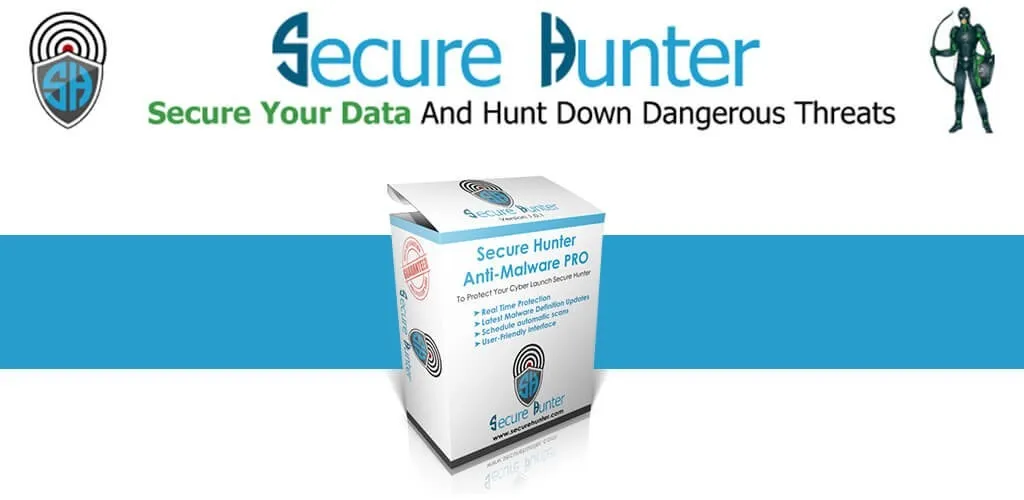
The interface is somewhat overloaded and unorganized. Scanning offers three modes: “custom hunter”, “full system hunter”, “computer scan” aka quick scan. In process it only shows the number of processed files, detections and type, there’s no ability to pause it. Threats can be deleted or ignored, but not restored after deletion. For guidance and work issues, there’s a tab to send feedback to vendor.
Pros
- Free version without limitations
- All actions accessible in the main windows
- Automatic database updates
Cons
- Uninformative scanning, no pause option
- Clumsy and disorganized interface
- Many issues in performance
Key features: Malware removal, 3 scan modes, ignore list.
Pricing: Free, Pro – $20.00.
3. ByteFence
Quick scanning and browser inspection are the highlights of ByteFence, which is a typical malware removal niche product. As proved by testing, it can find threats that other programs couldn’t and general detection rate is above 90%.
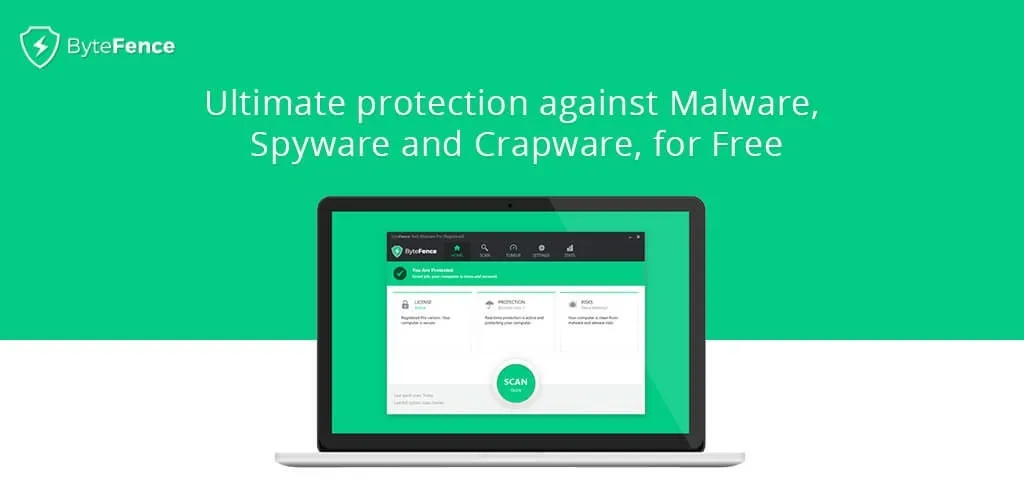
Otherwise, there’s a lot of room for improvements. Scheduler only has 2 modes: daily or weekly, which isn’t great. Gaming mode that turns off any external alerts provides very little information to a user. Browser control identifies suspicious homepages, analyzes plugins and add-ons, but does not clean and optimize to the full effect.
Pros
- Free version without limitations
- All actions accessible in the main windows
- Automatic database updates
Cons
- Uninformative scanning, no pause option
- Clumsy and disorganized interface
- Many issues in performance
Key features: Do not disturb mode, whitelist, antivirus.
Pricing: Free, 6 -months – $19.98, 1-year – $30.
FAQ
Q: What is anti-malware software?
A: Anti-malware (a.k.a. Antimalware, anti malware, malware removal software, malware scanner tools) are special software programs that detect and remove malware from computer devices. Anti-malware protects against malicious scripts, viruses, rootkits, ransomware, spyware, adware.
Q: How does anti malware work?
A: To prevent malware, this special type of security software implies three main methods: signature-based malware detection (see the 2nd paragraph above), behavior-based detection (by intentions, behaviors, actions, etc.) and sandboxing - testing stuff in virtual environment before allowing it into the system. By design, anti-malware can do the following tasks: block suspicious websites, quarantine the detected malware, display data about the infections and insights into how and how far a malicious script has compromised a network.
Q: What is the best anti-malware?
A: You can’t go wrong with Malwarebytes, HitmanPro, Emsisoft, Comodo, Zemana, AVG/Avast. For more considerations, pros and cons, tips and more read our product reviews, sich as Malwarebytes, Malware Fighter, Spybot, etc.
Q: Is anti-malware and antivirus the same thing?
A: No, but similar. A virus is also a malware, but malware isn’t necessarily a virus. Thus, an antivirus software protects against computer viruses specifically, while antimalware covers a wider range of threats: trojans, worms, unwanted apps, ransomware, cryptomining, adware, exploits, keylogging, etc. Many antivirus programs have been expanding their functionality to defend against malware too. The best practice is to use both.
Q: What is Malwarebytes anti-exploit?
A: Anti-Exploit is a security program that was bought out by malwarebytes from ZeroVulnerabilityLabs, and is now in beta-version, as of January 2025. It runs in the background and specifically targets zero-day exploits in browsers, rootkits, phishing scams, malicious links and sites. It is only available in Premium package.
Q: What is Bytefence? Is it good?
A: Firstly, this is just one of the anti-malware programs and a popular antivirus. Secondly, it got (in)famous due to often being distributed in a bundle with another software which essentially means PUA. So it’s kind of “fight-crime-with-crime” situation. Many users online recommend removing it because it got them more malware instead of preventing it. We can neither confirm or disprove any information until we’ve tested it ourselves, so caution is our tip right now.
Q: How to choose the right antimalware program?
A: Go with reliable and reputable. Seek programs that can protect itself against termination by another software, that won’t cause conflicts with antivirus, that can automate scanning and is always up-to-date. A good anti-malware is often an “all-inclusive” package/suite - with security scanning, parental control, password manager, web protection, backup and restore, firewall, etc. It should not affect PC boot time and overall performance, be easy to navigate, fast in scanning, provide full control over all elements.